SYMPTOM:
After finishing the installation of Strategy Mobile 9.4.x or 10.x on a Microsoft Windows 64-bit machine and accessing the Strategy Mobile Admin page, the following error message appears:
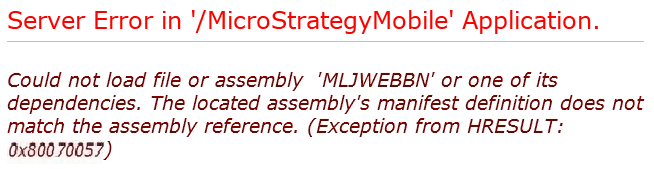
Server Error in '/StrategyMobile' Application.

Could not load file or assembly 'MLJWEBBN' or one of its dependencies. The parameter is incorrect. (Exception from HRESULT: 0x80070057 (E_INVALIDARG))

Description: An unhandled exception occurred during the execution of the current web request. Please review the stack trace for more information about the error and where it originated in the code.

Exception Details: System.IO.FileLoadException: Could not load file or assembly 'MLJWEBBN' or one of its dependencies. The parameter is incorrect. (Exception from HRESULT: 0x80070057 (E_INVALIDARG))

Source Error:

An unhandled exception was generated during the execution of the current web request. Information regarding the origin and location of the exception can be identified using the exception stack trace below.

Assembly Load Trace: The following information can be helpful to determine why the assembly 'MLJWEBBN' could not be loaded.

=== Pre-bind state information ===

LOG: User = IIS APPPOOL\StrategyMobilePool

LOG: DisplayName = MLJWEBBN

(Partial)

LOG: Appbase = file:///C:/Program Files (x86)/MicroStrategy/Mobile Server ASPx/

LOG: Initial PrivatePath = C:\Program Files (x86)\MicroStrategy\Mobile Server ASPx\bin

Calling assembly : (Unknown).

===

LOG: This bind starts in default load context.

LOG: Using application configuration file: C:\Program Files (x86)\MicroStrategy\Mobile Server ASPx\web.config

LOG: Using host configuration file: C:\Windows\Microsoft.NET\Framework64\v2.0.50727\Aspnet.config

LOG: Using machine configuration file from C:\Windows\Microsoft.NET\Framework64\v2.0.50727\config\machine.config.

LOG: Policy not being applied to reference at this time (private, custom, partial, or location-based assembly bind).

LOG: Attempting download of new URL file:///C:/Windows/Microsoft.NET/Framework64/v2.0.50727/Temporary ASP.NET Files/MicroStrategyMobile/b22a75de/c7cef062/MLJWEBBN.DLL.

LOG: Attempting download of new URL file:///C:/Windows/Microsoft.NET/Framework64/v2.0.50727/Temporary ASP.NET Files/MicroStrategyMobile/b22a75de/c7cef062/MLJWEBBN/MLJWEBBN.DLL.

LOG: Attempting download of new URL file:///C:/Program Files (x86)/MicroStrategy/Mobile Server ASPx/bin/MLJWEBBN.DLL.

LOG: Using application configuration file: C:\Program Files (x86)\MicroStrategy\Mobile Server ASPx\web.config

LOG: Using host configuration file: C:\Windows\Microsoft.NET\Framework64\v2.0.50727\Aspnet.config

LOG: Using machine configuration file from C:\Windows\Microsoft.NET\Framework64\v2.0.50727\config\machine.config.

LOG: Policy not being applied to reference at this time (private, custom, partial, or location-based assembly bind).

ERR: Failed to complete setup of assembly (hr = 0x80070057). Probing terminated.
~\WINDOWS\Microsoft.NET\Framework64\v4.0.30319\Temporary ASP.NET Files
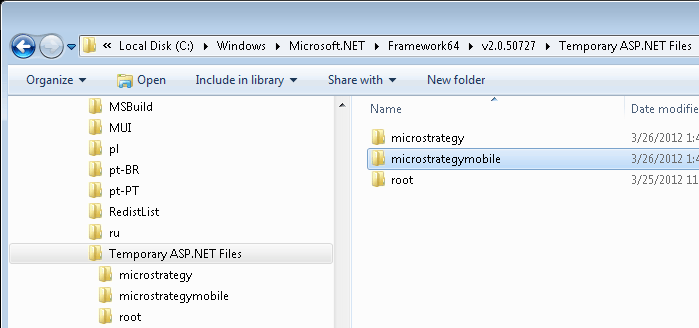
NOTE: The following tech note reports a similar issue: KB35279: "Could not load file or assembly ‘M9adodb’ or one of its dependencies. The parameter is incorrect." shows up when trying to access the Admin or Main page of MicroStrategy Web after an installation.
