EducationSoftwareStrategy.com
StrategyCommunity

Knowledge Base

Product

Community

Knowledge Base

TopicsBrowse ArticlesDeveloper Zone

Product

Download SoftwareProduct DocumentationSecurity Hub

Education

Tutorial VideosSolution GalleryEducation courses

Community

GuidelinesGrandmastersEvents
x_social-icon_white.svglinkedin_social-icon_white.svg
Strategy logoCommunity

© Strategy Inc. All Rights Reserved.

LegalTerms of UsePrivacy Policy
  1. Home
  2. Topics

KB39143: "This prompt is not valid for this report" error when attempting to add a hierarchy prompt to a view report based on an intelligent cube in MicroStrategy Developer 9.4.x - 10.x


Stefan Zepeda

Salesforce Solutions Architect • Strategy


This technical note outlines a current limitation where hierarchy prompts cannot be used in reports based on Intelligent Cubes.

SYMPTOM:
The following error message is seen when trying to add a hierarchy prompt to a report based on an Intelligent Cube in Strategy Developer 9.4.x - 10.x:


This prompt is not valid for this report.
 

CAUSE:
While most expression prompts can be used in an cube report, hierarchy prompts are not currently supported.  This error message is not related to the contents of the Intelligent Cube or the hierarchy, but indicates that hierarchy prompts are invalid with this type of report.
 
ACTION:
An enhancement request has been logged to add the ability to use hierarchy prompts with Intelligent Cube reports. Contact Technical Support for an update regarding that request.
 
WORKAROUND:

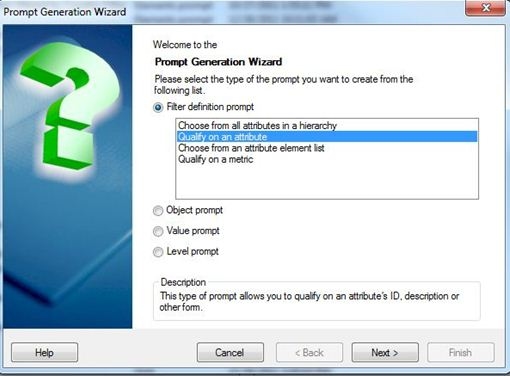
  • Create an expression prompt with “Qualify on an attribute”
     
ka02R000000kW4DQAU_0EM440000002DLr.jpeg
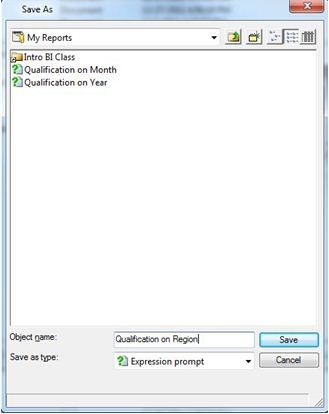
  • Save this prompt
     
ka02R000000kW4DQAU_0EM440000002DLm.jpeg
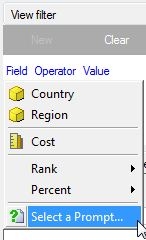
  • Add this expression prompt to the cube based report View filter
     
ka02R000000kW4DQAU_0EM440000002DLe.jpeg
ka02R000000kW4DQAU_0EM440000002DLo.jpeg
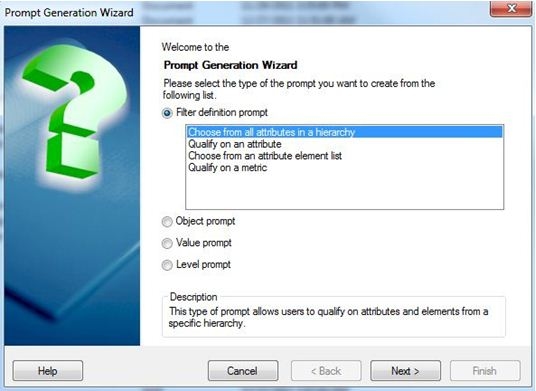
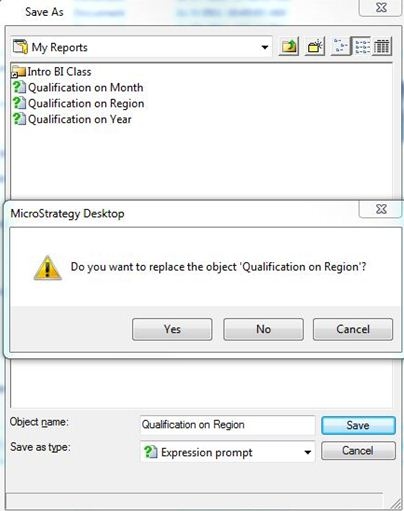
  • Create the hierarchy prompt and save with the same name as the attribute expression prompt
     
ka02R000000kW4DQAU_0EM440000002DLs.jpeg
ka02R000000kW4DQAU_0EM440000002DLq.jpeg

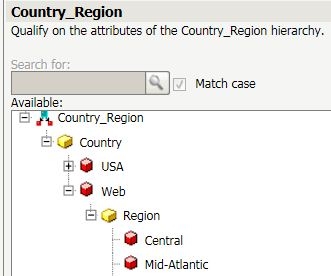
This workaround is only valid when creating attribute element qualifications.  Any use of functionality only present in hierarchy prompts such as expanding the hierarchy or making a different type of attribute qualification will not make use of the cube filtered data.  This is expected as hierarchy prompts are still not supported with full functionality in Cube reports.  For example, if the Country "Web" should only have the "Web" Region, it will display all attribute elements under region instead:
 

ka02R000000kW4DQAU_0EM440000002DLk.jpeg


Comment

0 comments

Details

Knowledge Article

Published:

May 10, 2017

Last Updated:

May 10, 2017