EducationSoftwareStrategy.com
StrategyCommunity

Knowledge Base

Product

Community

Knowledge Base

TopicsBrowse ArticlesDeveloper Zone

Product

Download SoftwareProduct DocumentationSecurity Hub

Education

Tutorial VideosSolution GalleryEducation courses

Community

GuidelinesGrandmastersEvents
x_social-icon_white.svglinkedin_social-icon_white.svg
Strategy logoCommunity

© Strategy Inc. All Rights Reserved.

LegalTerms of UsePrivacy Policy
  1. Home
  2. Topics

KB39201: How to make a selection of all days between two dates by simply indicating the starting and ending dates in Flash view of a Report Services Document in MicroStrategy Web


Community Admin

• Strategy


How to make a selection of all days between two dates by simply indicating the starting and ending dates in Flash view of a Report Services Document in MicroStrategy Web

Strategy Web 9.2.1 introduces a feature to make a selection of all days between two dates by simply indicating the starting and ending dates in Flash view of a Report Services Document
 
Follow the steps below to realize the feature by taking advantage of a "date selection" selector.
1. Create a simple report with attribute Day and metric Cost. Date selection selector needs a date attribute
2. Create a dashboard with the report above as the dataset and add the report into the section.
3. Insert Date Selection selector to the dashboard section, as shown below:  
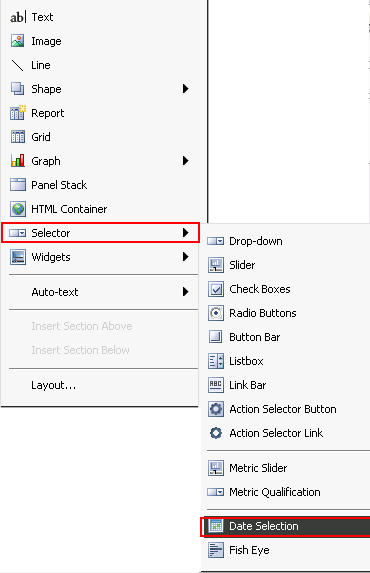
ka04W000000OdZuQAK_0EM4400000027I0.png

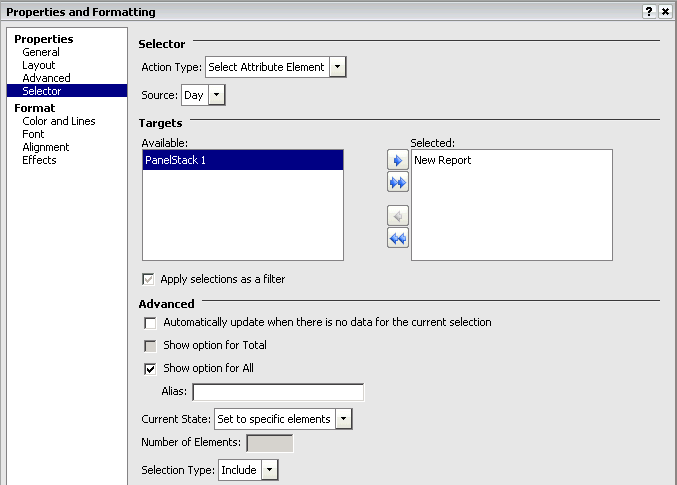
4.  Right click "Properties and Formatting" of the selector and set the properties as shown below:
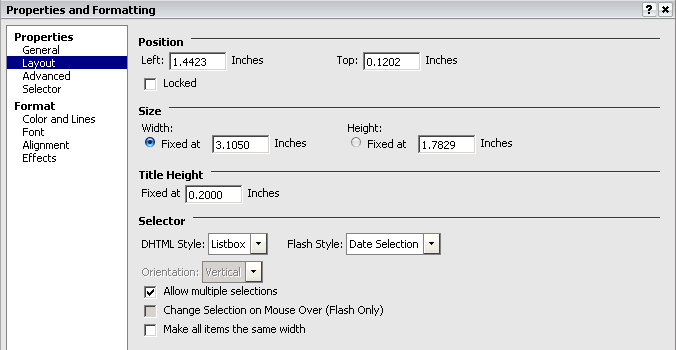
ka04W000000OdZuQAK_0EM4400000027Hw.png
ka04W000000OdZuQAK_0EM4400000027Hr.png

5. Run the Dashboard in Flash view.
6. Click the start date in the selector and then hold down shift key on the keyboard when selecting the end date with the mouse, as shown below:
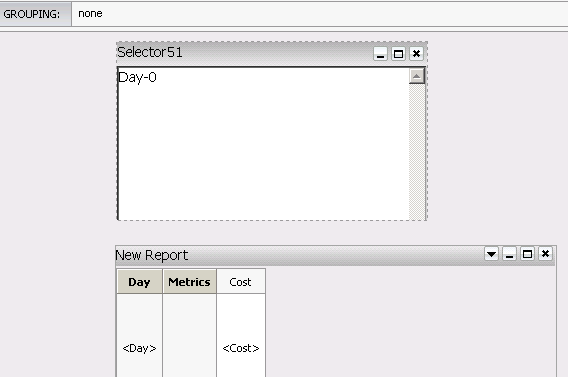
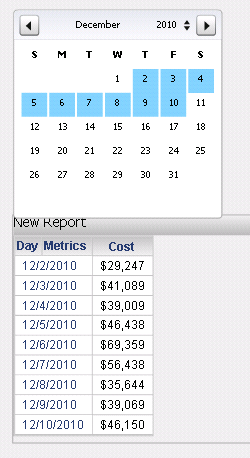
ka04W000000OdZuQAK_0EM4400000027Hy.png
ka04W000000OdZuQAK_0EM4400000027Hz.png

Comment

0 comments

Details

Knowledge Article

Published:

April 7, 2017

Last Updated:

April 7, 2017