SYMPTOM:
When executing a silent install of Strategy 9.x on a Windows 7 PC with User Account control enabled, a user will be prompted with the following dialog box:
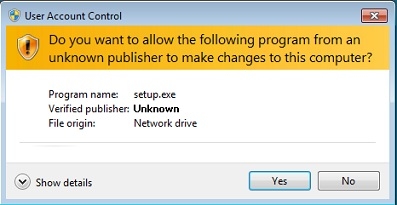
If the setup.exe file is located on a shared or network drive, when the user clicks 'Yes', setup will not complete successfully. In the install.log file, the following entries will be recorded:
Sample Code/Error
Version=v7.00
File=Log File
ResultCode=-5
'ResultCode=-5' corresponds to an InstallShield error of 'File does not exist' and is usually recorded when the setup.iss or response.ini files necesary for the silent install are missing. However, in this case, both files are located correctly in the shared directory.
CAUSE:
This issue occurs because User Account Control is enabled. When the user clicks 'yes' on the above dialog box, User Account Control will cause the network location where the install files are located to become unavailable. This will result in the installer not being able to access the setup.iss or response.ini files, which will cause the 'ResultCode=05' error to be recorded.
ACTION:
To resolve this issue, User Account Control should be disabled for the duration of the installation. This will allow it to be completed successfully.
