Introduction
With Strategy, it is possible to create multisourcing reports against MDX data sources. As a pre-requisite, it is required to map the MDX attributes to relational schema attributes as described in the following Strategy Knowledge Base document:
KB17125: How to map OLAP Cube attributes onto normal project attributes in Strategy Developer
SYMPTOM
After a user creates a report containing relational project attributes and metrics from an MDX data source, it is seen that metric data is not displayed for the MDX metrics as shown below:
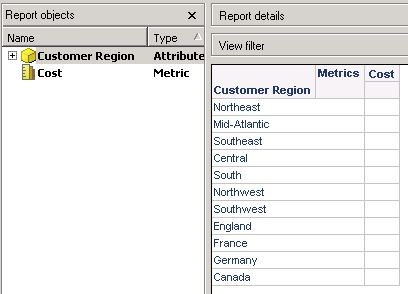
The SQL view of the report shows that the report is not even accessing the MDX data source.
select a11.[CUST_REGION_ID] AS CUST_REGION_ID,
a11.[CUST_REGION_NAME] AS CUST_REGION_NAME0,
null AS WJXBFS1
from [LU_CUST_REGION] a11
When a normal report (not MDX report) is created with just the MDX metric, the following error is received:
Engine Logic: ERROR: CompUnit is empty. The join tree is empty. Please check if the metric has calculation level or if template only contains hierarchy that cannot be replaced by any attribute.
CAUSE
This issue can be seen in cases where the MDX schema is not pre-loaded.
ACTION
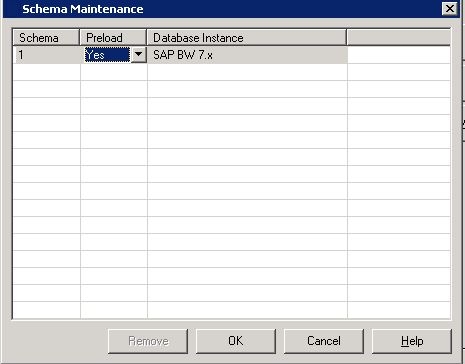
For multisourcing to work against MDX data sources, it is required for the MDX schema to be pre-loaded. By default, the schema is set to be pre-loaded for all MDX database instances. This can be checked under project configuration settings > database instances > MDX Data warehouses > Schema Maintenance, as shown below. If the schema is not set to pre-load, change the setting to pre-load.