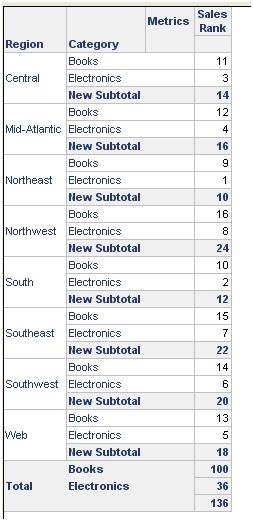
A common request for developers is to do a group-by grand total as well as subtotals across different levels in Strategy Developer 9.x-10.x. The steps below will illustrate this process:
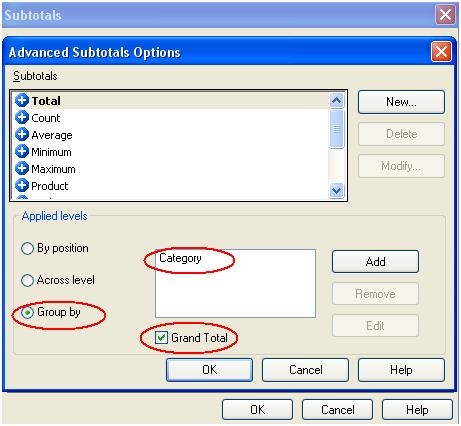
3. This displays the Grand Totals for Region as well as the Categories filtered on as shown below:
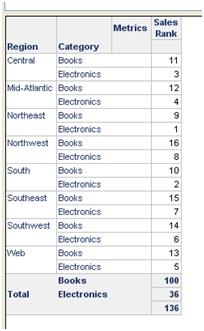
4. Now create a new custom subtotal in Developer from File – New – Subtotal.
5. Enter the following formula in the new Subtotal: Sum(x) => leave it as x.
6. Save and close the New Subtotal – assign an appropriate name to it.
7. Open the Sales Rank metric in edit mode and under the Subtotals/Aggregation tab the new subtotal is seen – add it to the
‘Available subtotals for metric’ section. Save and close the metric.
8. Re-execute the report and the Group By Grand Total as well as a Subtotal across levels is displayed.