SYMPTOM:
When attempting to use a tooltip on a line graph in Strategy Web 9.4.x-10.x, the metric value is not shown:
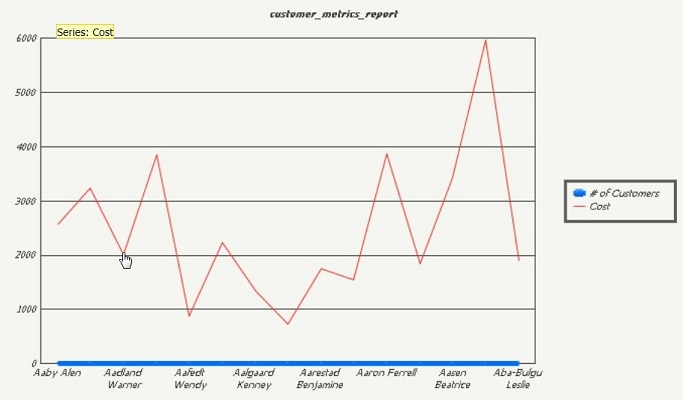
However, when converting the graph to a bar graph, the metric value is seen:

CAUSE:
To see the metric value on a line graph, markers for the metric values must be shown.
ACTION:
Enable “Show Markers on Line” in Strategy Desktop by right clicking the graph and selecting Graph Options > Series > “Series Name”
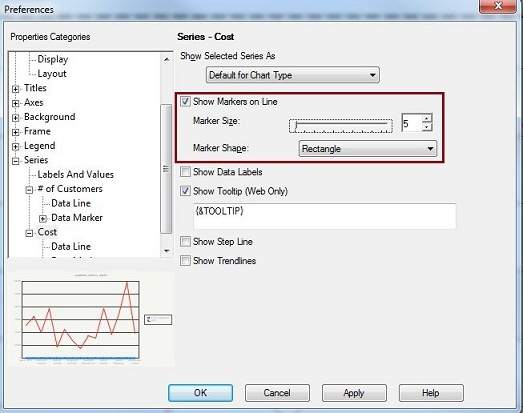
The markers can be made very small so they are barely visible on the graph, and the tooltips will still display.

