SYMPTOM:
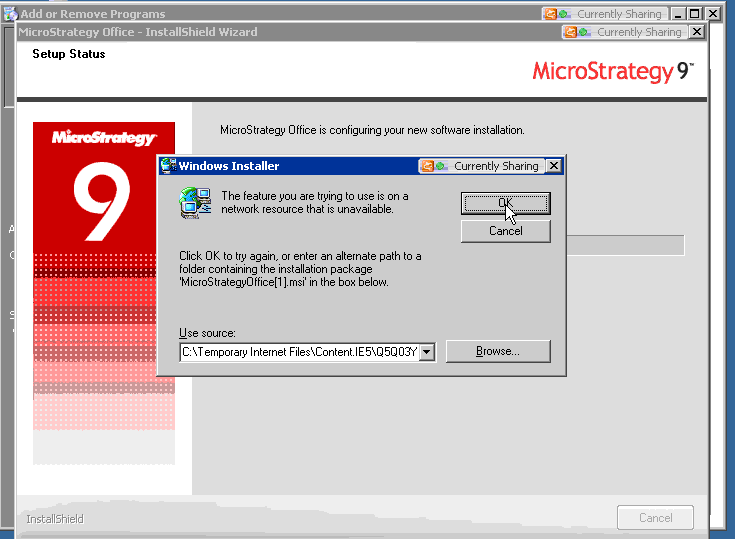
When trying to remove Strategy Office 9.x on Windows via the control panel, the following message is seen
CAUSE:
The installer cannot find the required file(s). In this example, the StrategyOffice.msi file cannot be located on the specified C: drive.
ACTION:
Find the correct location of the required file(s) on the specified drive in order for the installer to proceed or download a new Strategy setup file from the MicroStrategy download site.
