SYMPTOM:
When attempting to open a report, document, or cube directly through URL API, the user will first be prompted for the login screen. After providing the proper credentials, the user will receive the following error:
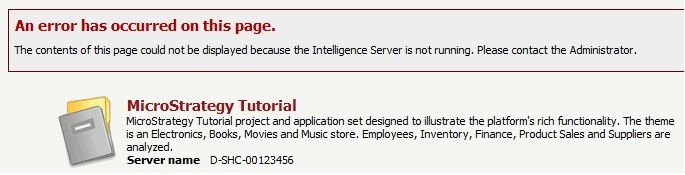
If the browser already has a session open to the project; the report, document, or cube will open as expected.
CAUSE:
This is due to the URL API not having the server name and project name specified. If these are not specified, then a session must already be open to the project on the correct server for the report, document, or cube to open correctly.
ACTION:
Ensure the server name and project name are included in the URL API:
http://webserver/MicroStrategy/asp/Main.aspx?server=INTELLIGENCE_SERVER&project=Project_Name&
;evt=2048001&src=Main.aspx.2048001&visualizationMode=0&documentID=XXX&uid=userna
me&pwd=password
If there is nothing lister for "server=" or "project=" the error will be seen when the browser does not already have a session open to the project.
