SYMPTOM:
"LOGIN_MUST_USE_SECURITY_TOKEN: Invalid username, password, security token; or user locked out." error appears when attempting to execute XQuery report against Salesforce data source in Strategy Developer 10.x as shown below:
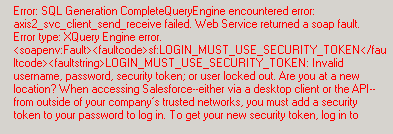
Error: SQL Generation Complete
QueryEngine encountered error: axis2_svc_client_send_receive failed. Web Service returned a soap fault.
Error type: XQuery Engine error. <soapenv:Fault><faultcode>sf:LOGIN_MUST_USE_SECURITY_TOKEN</faultcode><faultstring>LOGIN_MUST_USE_SECURITY_TOKEN: Invalid username, password, security token; or user locked out. Are you at a new location? When accessing Salesforce--either via a desktop client or the API--from outside of your company’s trusted networks, you must add a security token to your password to log in. To get your new security token, log in to Salesforce. From your personal settings, enter Reset My Security Token in the Quick Find box, then select Reset My Security Token.</faultstring><detail><sf:LoginFault xsi:type="sf:LoginFault"><sf:exceptionCode>LOGIN_MUST_USE_SECURITY_TOKEN</sf:exceptionCode><sf:exceptionMessage>Invalid username, password, security token; or user locked out. Are you at a new location? When accessing Salesforce--either via a desktop client or the API--from outside of your company’s trusted networks, you must add a security token to your password to log in. To get your new security token, log in to Salesforce. From your personal settings, enter Reset My Security Token in the Quick Find box, then select Reset My Security Token.</sf:exceptionMessage></sf:LoginFault></detail></soapenv:Fault>. Connection String: XQUERY;UID=Data;..
Error in Process method of Component: QueryEngineServer, Project Strategy Tutorial, Job 254, Error Code= -2147212544.
