EducationSoftwareStrategy.com
StrategyCommunity

Knowledge Base

Product

Community

Knowledge Base

TopicsBrowse ArticlesDeveloper Zone

Product

Download SoftwareProduct DocumentationSecurity Hub

Education

Tutorial VideosSolution GalleryEducation courses

Community

GuidelinesGrandmastersEvents
x_social-icon_white.svglinkedin_social-icon_white.svg
Strategy logoCommunity

© Strategy Inc. All Rights Reserved.

LegalTerms of UsePrivacy Policy
  1. Home
  2. Topics

KB39659: When editing a graph on a document in MicroStrategy Developer, the graph shrinks to about 2/3 its normal size making it difficult to read labels and manipulate attributes.


Stefan Zepeda

Salesforce Solutions Architect • Strategy


This article describes a issue when editing a graph on a document in MicroStrategy Developer, the graph shrinks to about 2/3 its normal size making it difficult to read labels and manipulate attributes. This issue was reviewed by our Technology team for feasibility and will not be scoped for a code fix in any upcoming MicroStrategy release.

SYMPTOM:
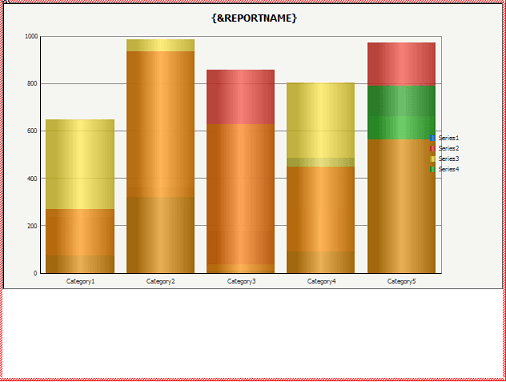
When editing a graph on a document in Strategy Developer, the graph shrinks to about 2/3 its normal size making it difficult to read labels and manipulate attributes.
 
STEPS TO REPRODUCE:
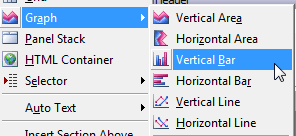
  • Create a new document and within the Detail Header section, go to Insert - Graph - Vertical Bar Graph.
ka02R000000kVkCQAU_0EM440000002DIt.png
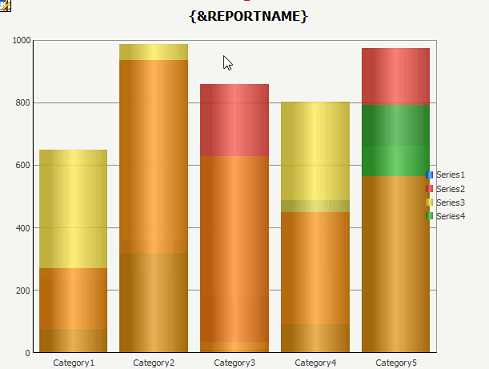
  • The graph will appear as below:
ka02R000000kVkCQAU_0EM440000002DIw.png
  • Right-click and select Edit Graph. The graph will shrink.
ka02R000000kVkCQAU_0EM440000002DIr.png

CAUSE:
This is a known issue within Strategy Desktop 9.2.1.
 
ACTION:
This issue was reviewed by our Technology team for feasibility and will not be scoped for a code fix in any upcoming Strategy release.


Comment

0 comments

Details

Knowledge Article

Published:

May 25, 2017

Last Updated:

May 25, 2017