EducationSoftwareStrategy.com
StrategyCommunity

Knowledge Base

Product

Community

Knowledge Base

TopicsBrowse ArticlesDeveloper Zone

Product

Download SoftwareProduct DocumentationSecurity Hub

Education

Tutorial VideosSolution GalleryEducation courses

Community

GuidelinesGrandmastersEvents
x_social-icon_white.svglinkedin_social-icon_white.svg
Strategy logoCommunity

© Strategy Inc. All Rights Reserved.

LegalTerms of UsePrivacy Policy
  1. Home
  2. Topics

KB39668: Default prompt answers using dynamic dates are not processed when running a prompted report in MicroStrategy Office 9.x.


Community Admin

• Strategy


SYMPTOM:
 
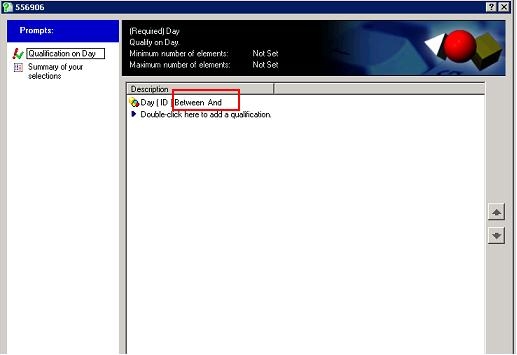
Users can create prompts based on a time attribute. This prompt can have a list of default prompt answers that could be configured to a dynamic date. The default prompt answers will work correctly Strategy Web 9.x but when accessed through Strategy Office the default answer will display blank like shown below.
 

ka04W000000OaZXQA0_0EM4400000027De.jpeg


STEPS TO REPRODUCE:

  • In Strategy Desktop, create an attribute prompt on the Day attribute.
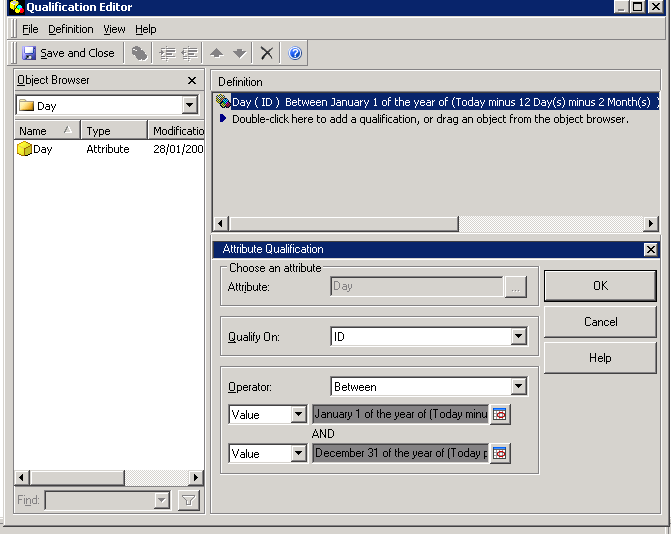
  • In the default prompt answers section, create a filter qualification.
  • In the Filter qualification create a between qualification filter with dynamic dates as shown below.
ka04W000000OaZXQA0_0EM4400000027DI.png
  • Sample Code/Error

    Day ID Between dynamicDate1 and dynamicDate2
    Where dynamicDate1 = On January 1
    Where dynamicDate2 = On December 31


  • Create a report which contains this prompt.

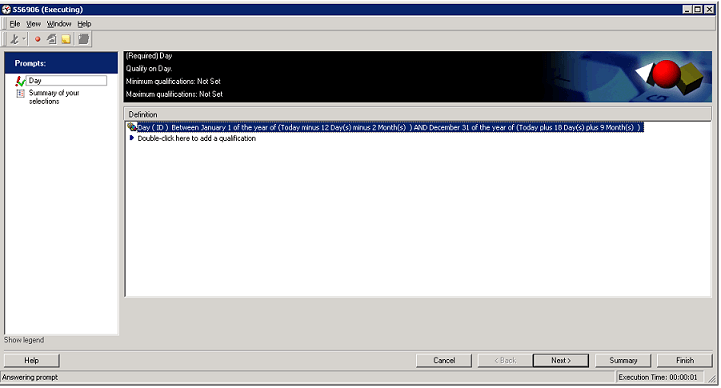
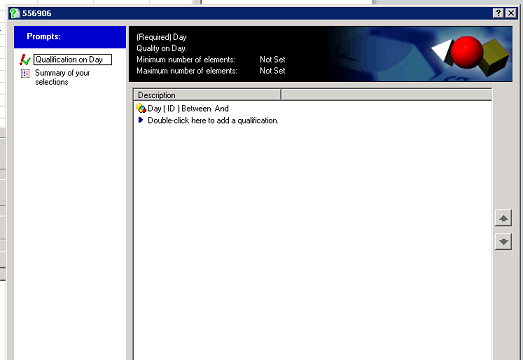
When this document is ran in Strategy Desktop or Web 9.x, the prompt will contain the default answer. However when this prompt is ran in Strategy Office 9.x, this prompt will not contain the default answer.  
 
Below is a screenshot of the default answer as displayed in Strategy Desktop and Web 9.x.
ka04W000000OaZXQA0_0EM4400000027DM.png

  
Below is a screenshot of the prompt default answers as displayed in Strategy Office 9.x, notice that they are blank.
ka04W000000OaZXQA0_0EM4400000027DJ.png


CAUSE:
This is a known issue in Strategy Office 9.x.
 
ACTION: 
This issue has not been scoped for any upcoming release.


Comment

0 comments

Details

Knowledge Article

Published:

July 11, 2017

Last Updated:

July 11, 2017