EducationSoftwareStrategy.com
StrategyCommunity

Knowledge Base

Product

Community

Knowledge Base

TopicsBrowse ArticlesDeveloper Zone

Product

Download SoftwareProduct DocumentationSecurity Hub

Education

Tutorial VideosSolution GalleryEducation courses

Community

GuidelinesGrandmastersEvents
x_social-icon_white.svglinkedin_social-icon_white.svg
Strategy logoCommunity

© Strategy Inc. All Rights Reserved.

LegalTerms of UsePrivacy Policy
  1. Home
  2. Topics

KB39728: "An error has occurred on this page. Your request could not be processed due to a server error." error message appears when running existing reports or creating new reports in MicroStrategy Web 9.x


Community Admin

• Strategy


SYMPTOM:
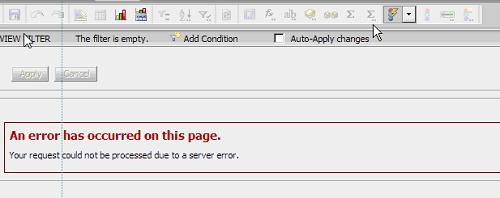
The following error message appears when running existing reports or creating new reports in Strategy Web 9.x. Folder navigation is fine for the project, and report can run successfully in Desktop 3-tier connection.
Creating a new report:

ka04W000000OhkMQAS_0EM4400000027C1.png

  
Running an existing report:

ka04W000000OhkMQAS_0EM4400000027C3.png


An error has occurred on this page. Your request could not be processed due to a server error.

CAUSE:
A possible cause is that there are issues with some cache files in the Web server hosting Strategy Web 9.2.x
 
ACTION:
Purge Web related caches as per KB42534 and then restart the Web Application server. If the issue persists, contact Strategy Technical Support for further assistance.


Comment

0 comments

Details

Knowledge Article

Published:

April 17, 2017

Last Updated:

April 17, 2017