SYMPTOM:
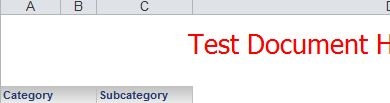
Users notice that multiple Excel columns are being used to represent a single grid column after a document has been exported to Excel from Strategy Web 9.4.1 and 10.x.
In the example below, notice how columns A and B from Excel are representing one Strategy grid column, the column for Category.
STEPS TO REPRODUCE:
CAUSE:
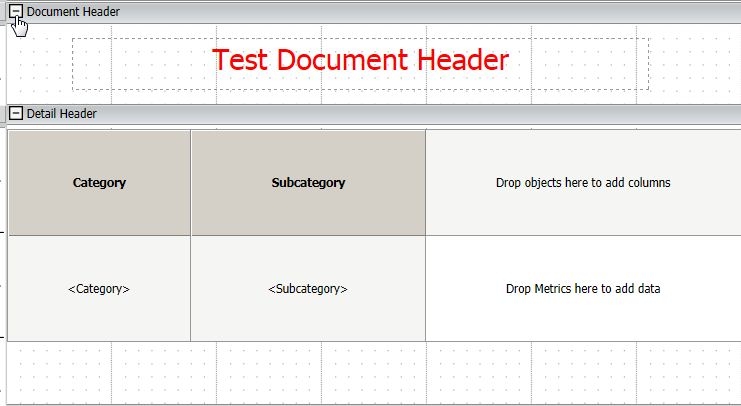
This is currently behaving as designed. In order to achieve a similar layout in Excel as the pixel perfect layout of the RS Document, the columns are merged to keep the positioning of all the objects. If an object, such as a selector or text object, is placed irregularly above a grid column, that grid column has a potential to export as a merged column.
ACTION:
Avoid placing other objects above or below the metric columns. For example, move titles from one side to the other, away from the grid columns. Or change their size and alignment to avoid columns merging.
39370 KB39730
