SYMPTOM:
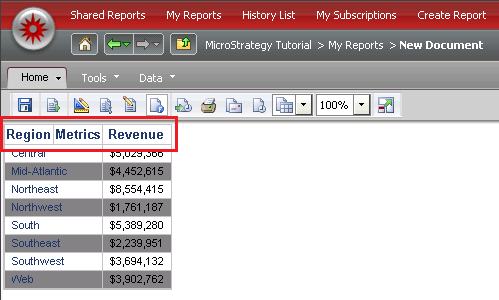
Documents running in Flash view mode have its column headers color changed when banding feature is defined in the document grid. The first banding color is applied to the column headers as in the picture below:
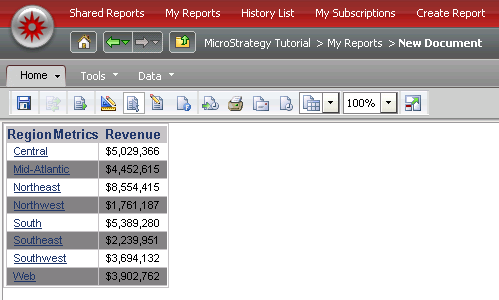
If the document is executed in HTML view mode than the document renders fine:
STEPS TO REPRODUCE:
Perform the following steps using the Strategy Tutorial project:
1. Create a report from scratch adding the attribute Region to the rows and the metric Revenue to the columns.
2. Convert this report into a document.
3. Still in the document editor, edit the grid report, click on menu Grid and select Options.
4. Select the Custom Banding option and click on Settings.
5. Select the option By row header and click on Ok.
6. Check the Apply banding colors to row values option.
CAUSE:
This is a known issue in Strategy 9.4.1 and 10.x.
ACTION:
Currently this issue is still being reviewed for feasibility by our Technology team and it is not scoped for any upcoming scheduled Strategy release.
WORKAROUND
There are two workarounds available for this situation:
1. Define the report banding settings before converting it into a document.
2. Execute the document either in Interactive, Express or Editable view mode.
