SYMPTOM:
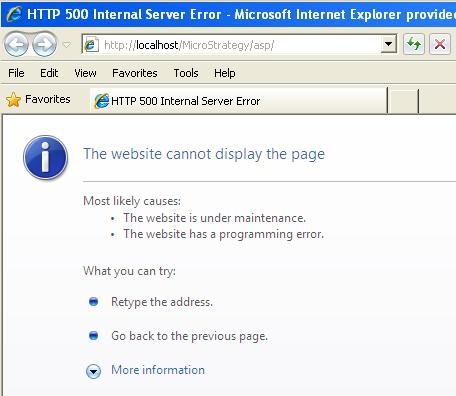
The following error message appears when trying to access the Strategy Web Universal 9.x running on Windows Server 2003 from Web Server console by clicking on Start > All Programs > Strategy > Web > Web:
Sample Code/Error
HTTP 500 Internal Server Error - Microsoft Internal Explorer provides...
The website cannot display the page
Most likely causes:
What you can try:
CAUSE:
In this specific scenario, the Strategy Web Universal had been deployed using Tomcat; however, another instance of Strategy for Windows had been already installed on the same server and, the Microsoft Internet Information Services was turned off. The shortcut Start > All Programs > Strategy > Web > Web points to the default Strategy Web for Windows URL http://localhost/MicroStrategy/asp/ so that this HTTP error was thrown.
ACTION:
There are two options for accessing the Strategy Web Universal from the server console when using Tomcat running on Windows Server 2003:
WORKAROUND:
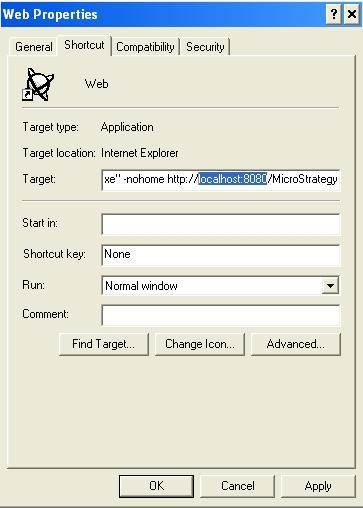
Follow the steps below in order to alter the default Strategy Web for Windows URL http://localhost/MicroStrategy/asp/ to the default Strategy Web Universal URL when using Tomcat running on Windows Server 2003:
Third Party Software Installation:
WARNING:
The third-party product(s) discussed in this technical note is manufactured by vendors independent of Strategy. Strategy makes no warranty, express, implied or otherwise, regarding this product, including its performance or reliability.
