EducationSoftwareStrategy.com
StrategyCommunity

Knowledge Base

Product

Community

Knowledge Base

TopicsBrowse ArticlesDeveloper Zone

Product

Download SoftwareProduct DocumentationSecurity Hub

Education

Tutorial VideosSolution GalleryEducation courses

Community

GuidelinesGrandmastersEvents
x_social-icon_white.svglinkedin_social-icon_white.svg
Strategy logoCommunity

© Strategy Inc. All Rights Reserved.

LegalTerms of UsePrivacy Policy
  1. Home
  2. Topics

KB39819: AM/PM notation does not show up for the selected time when editing a schedule in MicroStrategy Developer


Stefan Zepeda

Salesforce Solutions Architect • Strategy


KB39819: AM/PM notation does not show up for the selected time when editing a schedule in MicroStrategy Developer

SYMPTOM:
 
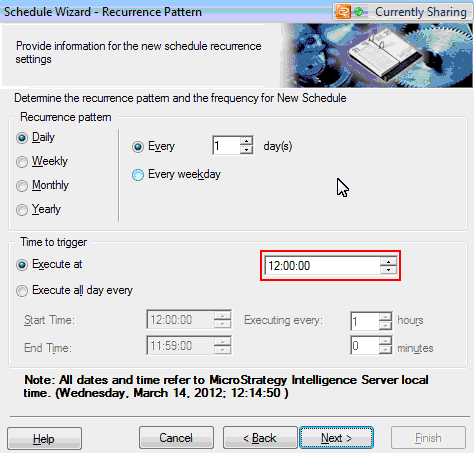
When editing a time-based subscription in Strategy Developer, AM and PM don't show up for the time.
 

ka0PW0000002yPtYAI_0EM440000002DIB.png

 
CAUSE:
 
This is due to the settings on the local Windows machine and is likely missing from that machine's time display in the lower right hand corner.
 
ACTION:
 
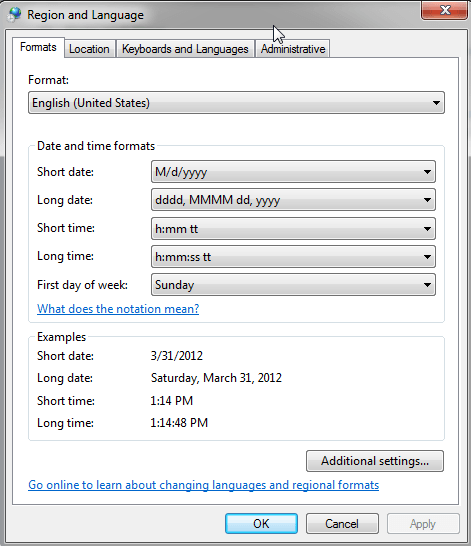
Go to Control Panel -> Regional and Language Options -> Regional Options -> Customize -> Time tab -> in the format window it should show 'h:mm:ss', change it to 'h:mm:ss tt' and click 'Apply' and 'Ok' and in the Regional and Language Options window also click 'Apply' and 'Ok'
 

ka0PW0000002yPtYAI_0EM440000002DHw.png


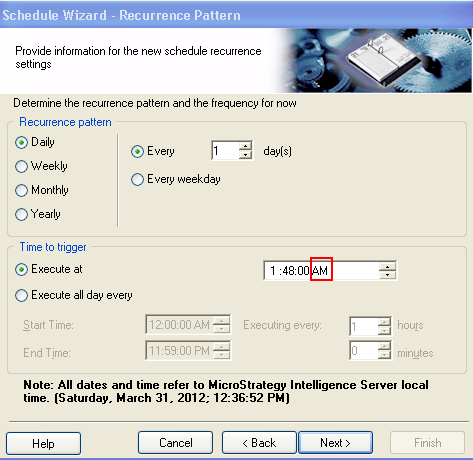
Re-open up Strategy Desktop and go and edit your schedule again and the AM/PM should show up again.
 

ka0PW0000002yPtYAI_0EM440000002DHu.png


Comment

0 comments

Details

Knowledge Article

Published:

June 15, 2017

Last Updated:

August 12, 2024