EducationSoftwareStrategy.com
StrategyCommunity

Knowledge Base

Product

Community

Knowledge Base

TopicsBrowse ArticlesDeveloper Zone

Product

Download SoftwareProduct DocumentationSecurity Hub

Education

Tutorial VideosSolution GalleryEducation courses

Community

GuidelinesGrandmastersEvents
x_social-icon_white.svglinkedin_social-icon_white.svg
Strategy logoCommunity

© Strategy Inc. All Rights Reserved.

LegalTerms of UsePrivacy Policy
  1. Home
  2. Topics

KB39829: The Image Layout widget will stop showing data and thresholds when more than one attributes are on the grid and a selector targeting it has the Total option selected in MicroStrategy Web


Community Admin

• Strategy


SYMPTOM
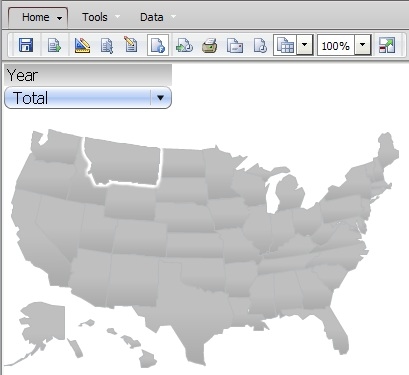
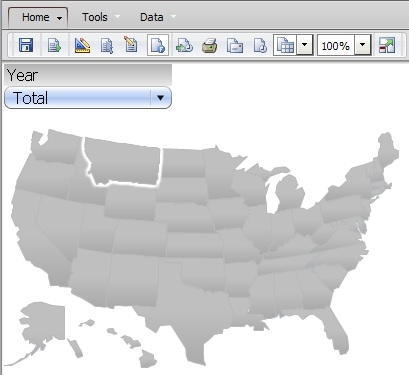
Users configure a grid for the Image Layout widget with 2 attributes and thresholds. A slicer selector with the Total option enabled is added to target the widget, however when the Total option is selected, the widget will stop displaying the data and the thresholds, in Strategy Web 9.4.1.
 
I
ka04W000000OeGXQA0_0EM4400000027CL.jpeg

 
STEPS TO REPRODUCE

  • Create a report with the attribute Customer State first and Year second in the rows and Cost in the columns.
  • Refer to tech note KB39608, steps 2 through 5, for detailed steps to configure the Image layout widget.
  • Add an attribute selector on the Year attribute to target the grid configured to display the Image layout widget.
  • Access the selector’s properties and uncheck the option: Apply selection as filter.
  • Enable the option: Show option for Total, like shown below.
ka04W000000OeGXQA0_0EM4400000027CO.jpeg
  • Run the document in Editable mode.
  • Right click the metric title and access the Advanced Threshold menu.
  • Apply a set of thresholds to the metric.
    Note: the threshold that will apply to the map will come from the Color and Lines tab > Fill > Color and will require to be applied at the Metric + Subtotal level.
  • Save and run the document.
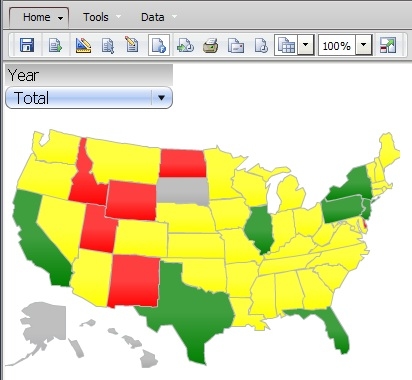
  • Notice how the thresholds will work even when the All option is selected.
ka04W000000OeGXQA0_0EM4400000027CJ.jpeg
  • However, when the Total option is selected the widget will stop displaying the data and the thresholds.
ka04W000000OeGXQA0_0EM4400000027CM.jpeg

CAUSE
This is a known issue with Strategy Web 9.4.1.
 
ACTION
Contact Strategy Technical Support for an update on this issue.
 
WORKAROUND
Remove the second attribute from the grid so that the State attribute is the only one on the grid.
Note: Make sure the thresholds are applied at the Metric + Subtotal level in the Advanced Threshold editor.
 

ka04W000000OeGXQA0_0EM4400000027CK.jpeg


Comment

0 comments

Details

Knowledge Article

Published:

June 12, 2017

Last Updated:

June 12, 2017