SYMPTOM:
The following message appears when installing Strategy 9.x or 10.x on a Windows operating system even though Microsoft .NET Framework v4.0 is installed on the machine. The user will not be able to continue with the installation until this issue is resolved.
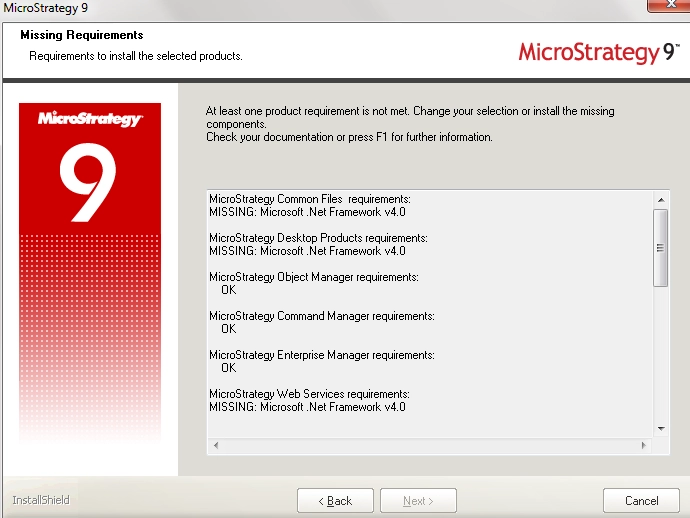
Sample Code/Error
MISSING: Microsoft .Net Framework v4.0
CAUSE:
This issue can occur if the Microsoft .NET Framework v4.0 Client Profile is installed on the machine. The Client Profile only consists of a subset of features from the .NET Framework v4.0 which allows running client applications and facilitates a quick deployment for Windows Presentation Foundation (WPF) and Windows Forms technology.
ACTION:
Third Party Software Installation:
WARNING:
The third-party product(s) discussed in this technical note is manufactured by vendors independent of Strategy. Strategy makes no warranty, express, implied or otherwise, regarding this product, including its performance or reliability.
