The following knowledge base article describes how self-signed certificates do support HTTPS in Strategy Mobile Apps on iPhone and iPad:
KB33779: MicroStrategy iPhone and iPad applications do not work when using a self signed certificate in the web serve
To make self- signed Strategy Mobile server certificates work for Strategy Mobile apps, the certificate of CA which signs the Mobile server certificate should be added in the iPhone and iPad profile as shown below:
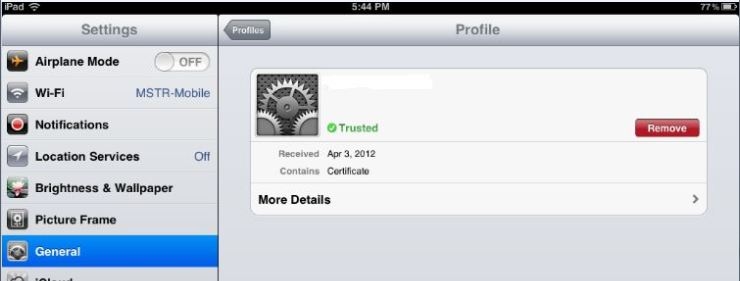
For example: there is a CA server which can be created by anyone. A certificate "CertificateA" is created for Strategy Mobile server. It is sent to CA server which hosts a certificate CertificateB. Then CertificateA will be signed by CA with CertificateB. CertificateB should be added into iPhone and iPhone profile. After that, self-signed CertificateA will be trusted in iPhone and iPad allowing for HTTPS to be supported in Strategy apps.
NOTE: When a certificate is sent by email, it appears as an attachment. Click the certificate for it to be automatically installed.
