SYMPTOM:
When editing document links to run another document in Strategy Developer 9.x, following error message appears:
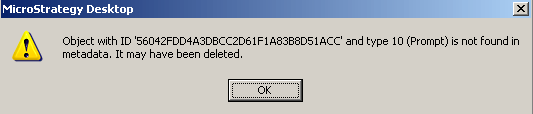
Sample Code/Error
Object with ID "ID" and type 10 is not found in the metadata. It may have been deleted.
CAUSE:
One possible cause is that there is an invalid prompt reference at the document level.
ACTION:
Please try to run the latest ScanMD in order to fix document level invalid prompt reference issues.
OR WORKAROUND:
This can help removing the invalid prompt reference because when re-saving the underlying reports, their version IDs change and re-saving the document will empty its current prompt collection, including the invalid prompt references, and reload them from the underlying reports.
