EducationSoftwareStrategy.com
StrategyCommunity

Knowledge Base

Product

Community

Knowledge Base

TopicsBrowse ArticlesDeveloper Zone

Product

Download SoftwareProduct DocumentationSecurity Hub

Education

Tutorial VideosSolution GalleryEducation courses

Community

GuidelinesGrandmastersEvents
x_social-icon_white.svglinkedin_social-icon_white.svg
Strategy logoCommunity

© Strategy Inc. All Rights Reserved.

LegalTerms of UsePrivacy Policy
  1. Home
  2. Topics

KB40093: "Data loading has failed! An error occurred while attempting to open the log file : Bad file name or number" error message seen during a manual dataload in MicroStrategy Enterprise Manager


Community Admin

• Strategy


SYMPTOM:
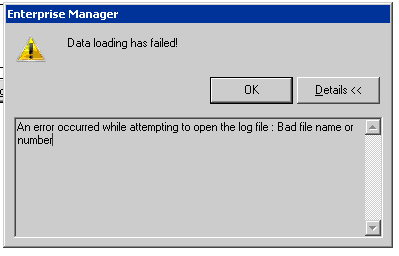
The error message below is seen during a manual data load in Strategy Enterprise Manager.
 

ka04W00000148NnQAI_0EM4400000029mC.png

Sample Code/Error
Data loading has failed!
An error occurred while attempting to open the log file : Bad file name or number
 
CAUSE:
 
This error is because the data load process is unable to open MSTRMigration.log file.
 
ACTION:
 
In order to resolve this issue,

  1. Rename the MSTRMigration.log file to MSTRMigration.log.bak. This will force the data load process to create a new MSTRMigration.log file.
  2. Perform a manual data load.

Note: If this issue has been occurring for an extended period of time, a Custom Time Window data load may be be used to migrate the statistics during this period.


Comment

0 comments

Details

Knowledge Article

Published:

June 9, 2017

Last Updated:

June 9, 2017