When troubleshooting issues related to Strategy Web which is configured with Microsoft Internet Information Server (IIS), Strategy Technical Support may request a log to be collected from IIS. Below illustrates the steps to do so.
Open Internet Information Services (IIS) Manager and select "Category" for the "Group by:" option.
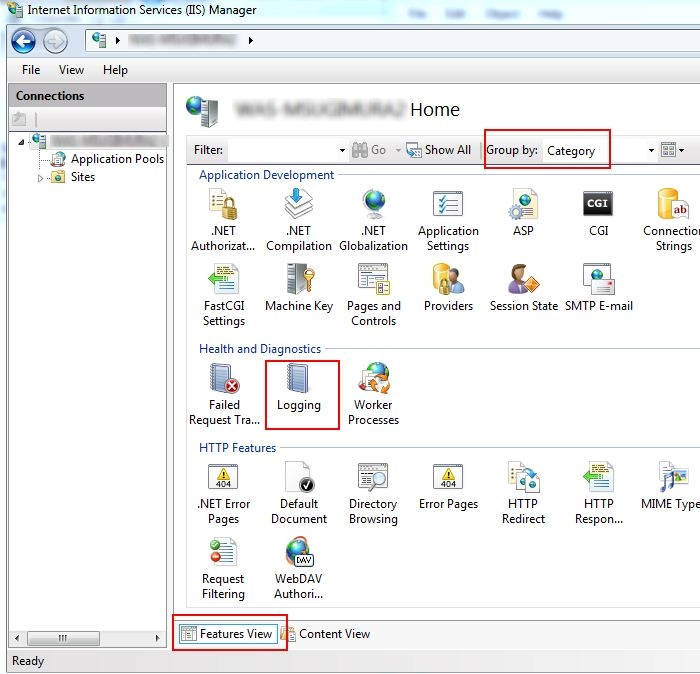
Click on Logging icon, and confirm Directory: section for the path to locate the log file.
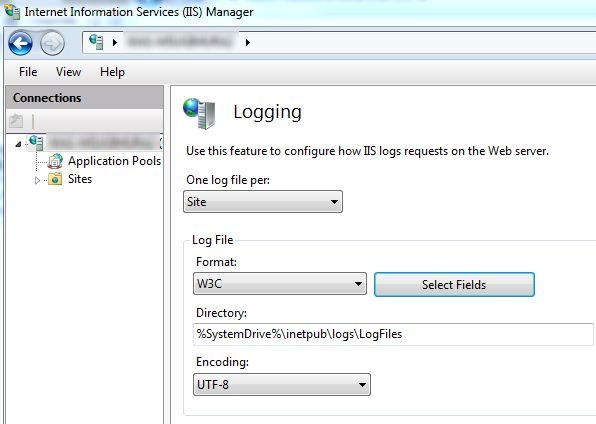
For more information about IIS logging, refer to:
KB43908
