SYMPTOM:
Users notice the below error when saving a prompted report in Strategy Developer or Web 9.x. This only occurs when saving with the "Report will be prompted" options. This does not occur if the report is saved as "static".

Sample Code/Error
You do not have Use access to the prompt object ''
STEPS TO REPRODUCE:
1. Create folder of metrics with only permission as "Administrator - Full control"

2. Create object prompt which uses metrics from this folder, object prompt has only permission "Administrator - Full control"
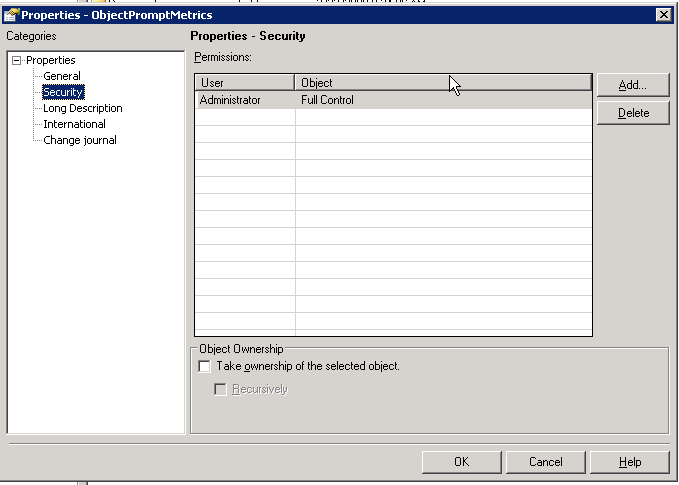
3. Create report with any 1 attribute, any prompt in filter, and the above object prompt on template columns.

4. Execute this report as a non-administrator user. This will run fine, the user will not see the object prompt and the report will run for the attribute and report filter prompt.

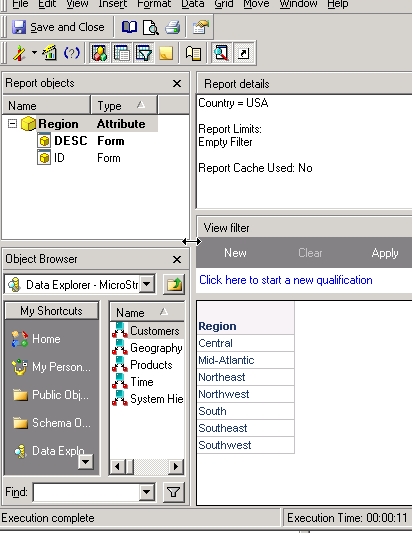
5. When saving the report with a prompted template, error is received because the user does not have access to the object prompt.


6. Send to History for this report works fine.
CAUSE:
This is working by design. When saving the report with a prompted template, the object prompt will be included in the resulting report definition. Since the user does not have any ACL access to it, the saving will not be allowed. Send to History List, History List subscription,and email subscription will work fine in this case since no object prompt is involved in these actions.
ACTION:
Save the report as Static, or only to prompt for the filter. Administrators must grant access to the prompt if the report needs to be saved to use this prompt for future executions by this user.
