The drilling option is merely a filter being applied on a report and showing the data at a different level. For this reason, drilling is only applicable to attributes, but metrics can still drill to previously specified objects using drill maps. The objects available are attributes, consolidations, and custom groups.
Follow these steps to enable drilling on metrics:
In Strategy Developer
1) create the report.
2) Go to the Data menu > Edit Drill Map.
3) The Origin of the association of the Drill Map has to be set to the Local Template as shown in the image below.
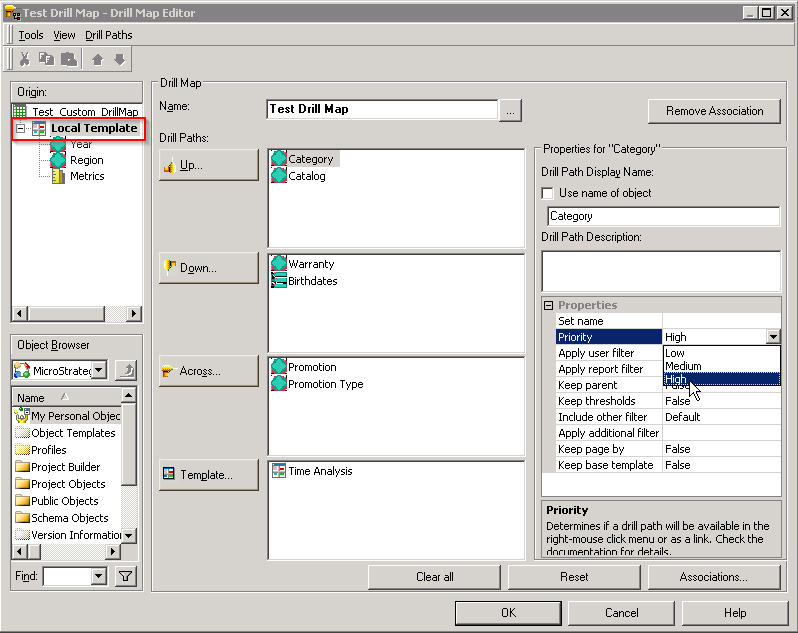
4)Define the drilling objects here in the Drill Paths section. The direction (up, down, across) is irrelevant as the options will not appear divided into those categories.
5) Make sure every object added to the drill map has a High Priority as shown in the image above, to guarantee drilling working in Strategy Web.
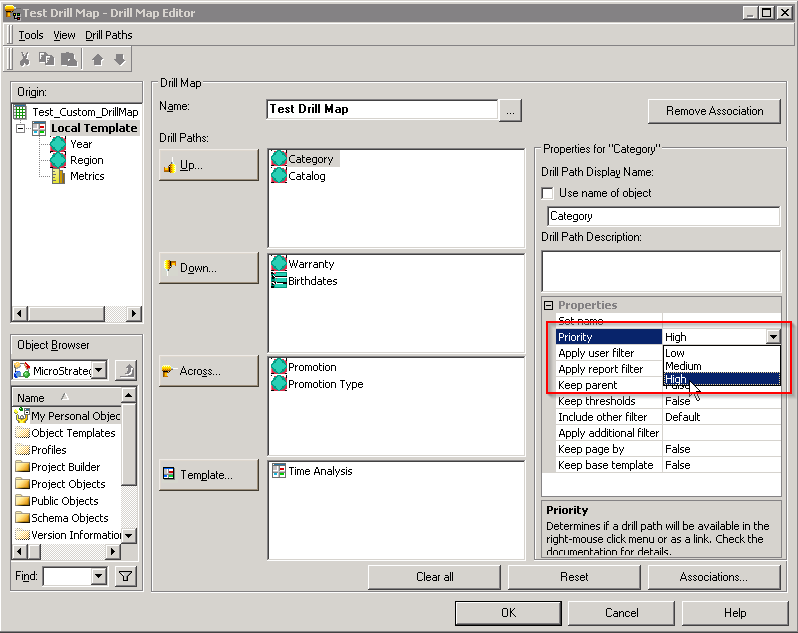
6) Click OK and save the report.
In Strategy Web
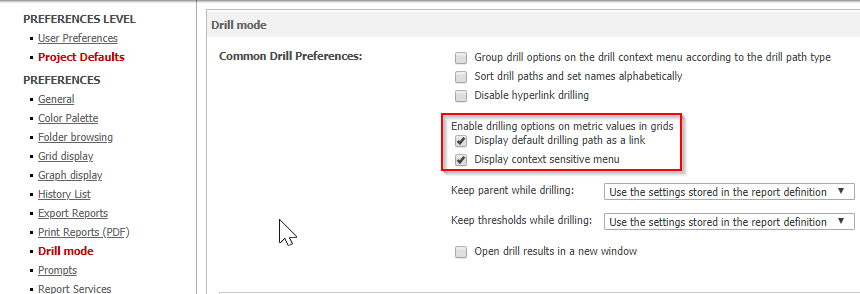
1) Access the Web Preferences > Project Defaults > Drill mode > Enable drilling options on metric values.
2) Make sure the setting 'Display context sensitive menu' is enabled.
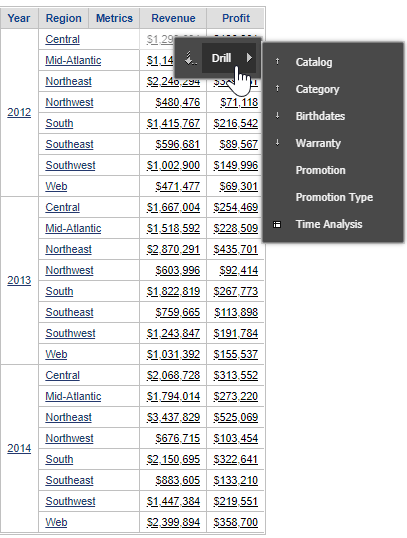
The result is shown in the image below.
This issue has been logged with SCOPUS ID 400810 and KB40263 KB40263
