SYMPTOM:
When adding CPUs from processor affinity through the Intelligence Server Service Manager, the following error message appears:
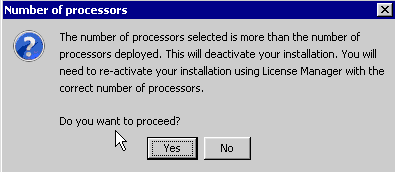
Sample Code/Error
The number of processors selected is more than the number of processors deployed. This will deactivate your installation. You will need to re-activate your installation using License Manager with the correct number of processors.
CAUSE:
When the number of CPUs being used changes, the installation needs to be re-activated to reflect the correct number of CPUs being used.
ACTION:
Re-activate the installation through License Manager.
