SYMPTOM:
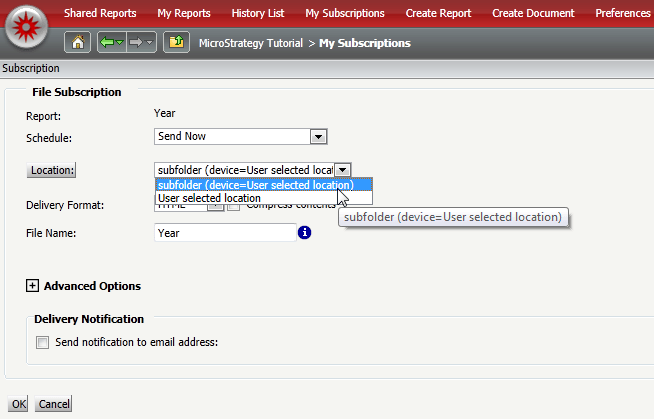
A user sets up a new file location with a sub-folder in Strategy Web using Distribution Server, the name of the file location is not identifiable.
STEPS TO REPRODUCE:
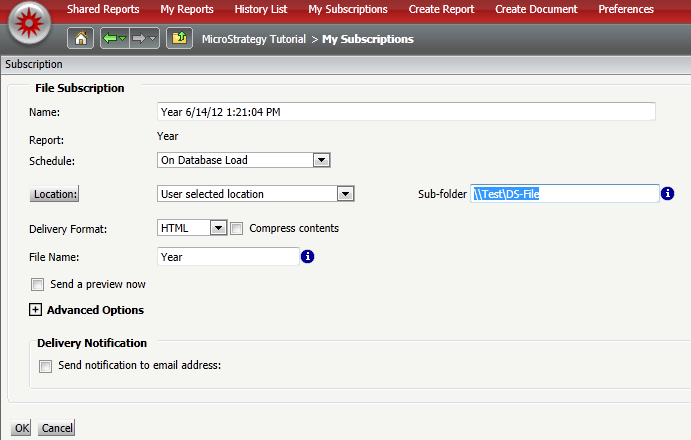
1. Create a File-based subscription with the a custom location as shown in the image below. Save the subscription.
2. Create a new File-based subscription and the previous location created above is shown below with no distinguishable name.
CAUSE:
When creating the File-based subscription in web there is not an option to create the name for the specific Contact.
ACTION:
Using Strategy Developer, the contact 'Address Name' can be changed manually to the desired results.
A Enhancement Request has been log to give a name for the contact created in web. Strategy will continue to investigate and post updates as soon as they are available.
WORKAROUND:
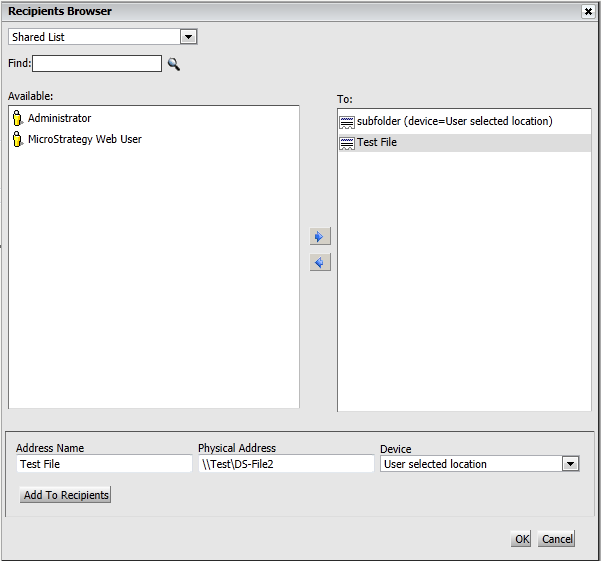
Create the location for the file based subscription by selecting the "location:" button and an option to create the Name for the location can be shown as below.
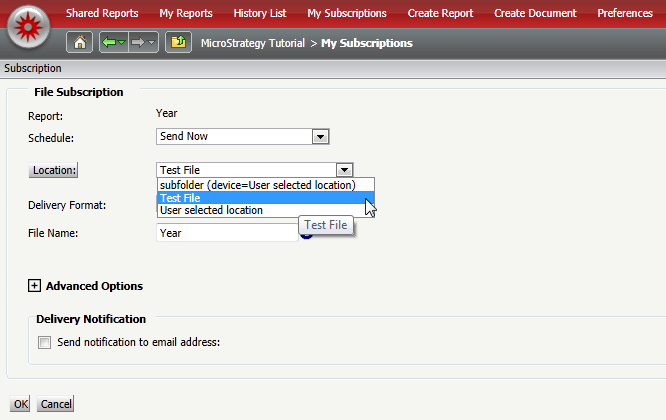
Strategy Web will show the Address Name and not the Physical Address as shown in the image below:
Strategy Developer will show the information below for the contact as shown in the image below:

