SYMPTOM:
In Strategy Narrowcast Server 9.x, a service with an embedded prompt filter in a prompt will throw the error below in the DE-Logs.
:2960:JobType ServiceID ExecutionID SegmentID InfoObjectIndex LocaleIndex ObjectID Information source got results for Personalization with error: The prompt question cannot be edited because it is incomplete.Error in Process method of Component: ResolutionServer, Project Global Business Intelligence Solutions, Job 7592, Error Code= -2147217092.
:2940:Service ID Execution ID Segment ID Information Source ID received results for Information Object with error message: The prompt question cannot be edited because it is incomplete.Error in Process method of Component: ResolutionServer, Project Strategy Tutorial, Job 43842, Error Code= -2147217092.
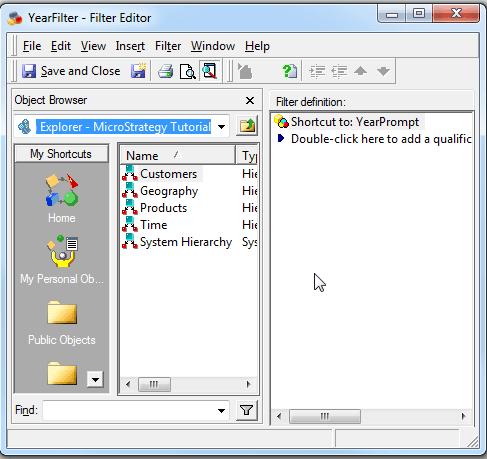
3. Create an attribute element list prompt based off the Quarter attribute (Called Quarterprompt) and have YearFilter narrow down the data as shown below:

4. Create a filter with a shortcut to Quarterprompt (Called QuarterFilter) as shown in the image below:

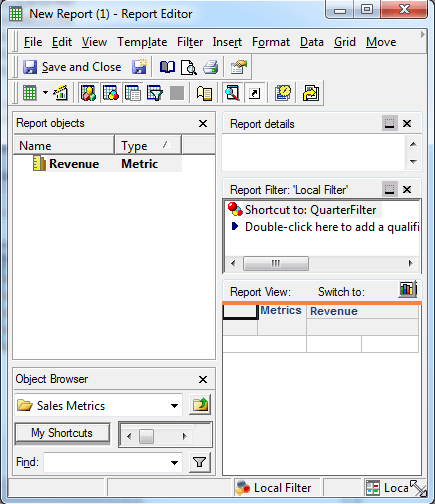
5. Create a Strategy Report with revenue and QuarterFilter in the report filter as shown in the image below:
6. Save and close
7. In Strategy Narrowcast create a new service to deliver the above report as an attachment via email and run it.
8. The service will fail with the above error in the DElogs.
CAUSE:
This is a known issue with Strategy Narrowcast Server 9.x.
ACTION:
This issue no longer occurs in Strategy Narrowcast Server 10.x. Upgrade to this version to take advantage of the fix.
WORKAROUND:
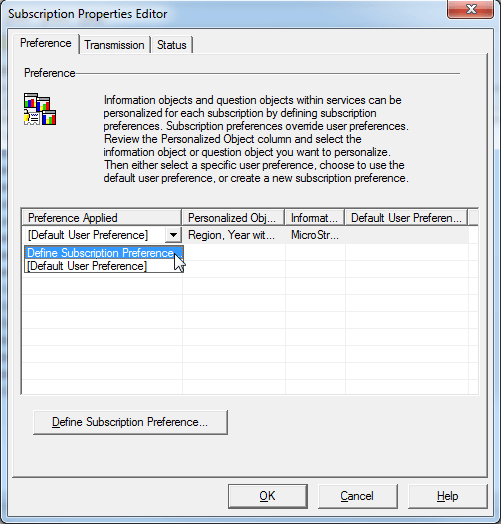
Open up the service in Strategy Narrowcast and define the prompt answer for the users in the subscription set as shown in the image below: