EducationSoftwareStrategy.com
StrategyCommunity

Knowledge Base

Product

Community

Knowledge Base

TopicsBrowse ArticlesDeveloper Zone

Product

Download SoftwareProduct DocumentationSecurity Hub

Education

Tutorial VideosSolution GalleryEducation courses

Community

GuidelinesGrandmastersEvents
x_social-icon_white.svglinkedin_social-icon_white.svg
Strategy logoCommunity

© Strategy Inc. All Rights Reserved.

LegalTerms of UsePrivacy Policy
  1. Home
  2. Topics

KB40565: JavaScript error appears when creating event based alert in MicroStrategy Distribution Service


Community Admin

• Strategy


JavaScript error appears when creating event based alert in MicroStrategy Distribution Service.

SYMPTOM:
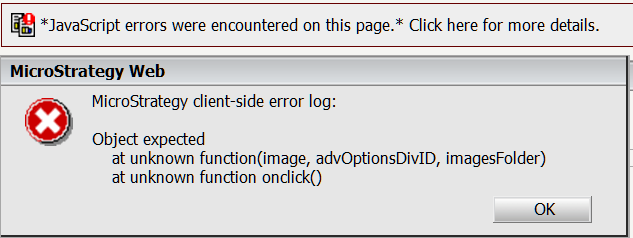
 JavaScript error prompts when creating a report alert without existing schedules in a project source in Strategy Distribution Service 9.4.x - 10.x, as shown below:
ka04W00000148t1QAA_0EM4400000029kX.png


JavaScript errors were encountered on this page. Click here for more details
Strategy client-side error log:
Object expected
    at unknown function(image, advOptionsDivID,imagesFolder)
    at unknown function onclick()
 
STEPS TO REPRODUCE:
Follow the steps below to reproduce the issue in Tutorial project in Strategy 9.4.x - 10.x:

    1. Delete all existing schedules.
    2. Create a new report and save it.
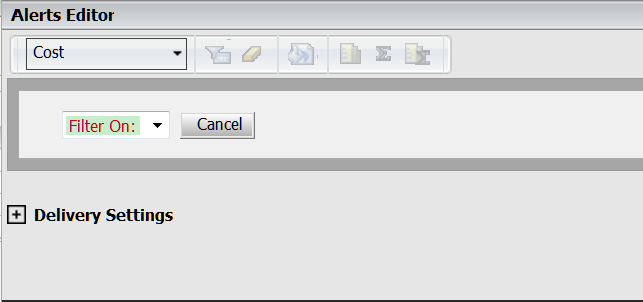
    3. Create an alert based on a metric by right clicking the metric and choose "Alerts >Email notification...", then the alert editor prompts, as shown below:


ka04W00000148t1QAA_0EM4400000029ka.png


  1. Click "Delivery Setting", the error appears.

 
CAUSE:
It is a known issue in Strategy Distribution Service 9.4.x - 10.x.
 
ACTION:
 Strategy will continue to investigate and post updates as soon as they are available.


Comment

0 comments

Details

Knowledge Article

Published:

June 13, 2017

Last Updated:

June 13, 2017