SYMPTOM:
When running reports which contain attributes based on the data type DATE against SQL Server 2005, the following error message is seen:
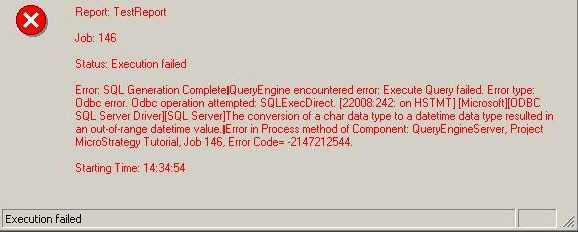
Report: xxxxx
Job: xxx
Status: Execution failed
Error: SQL Generation Complete. QueryEngine encountered error: Execute Query failed.
Error type: Odbc error. Odbc operation attempted: SQLExecDirect.
[The conversion of a char data type to a datetime data type resulted in an out-of-range datetime value.
Error in Process method of Component: QueryEngineServer, Project Strategy Tutorial, Job xxx, Error Code=.2147212544.
Starting Time xx:xx:xx
Execution failed
CAUSE:
The Strategy SQL Engine generates SQL Statements based on the default date format that does not match with the one set on the database side. For example, the warehouse data is stored with the date format yyyymmdd (e.g, 20101130) and the Strategy SQL Engine considers the date format yyyy-mm-dd (e.g, 2010-11-30), instead.
ACTION:
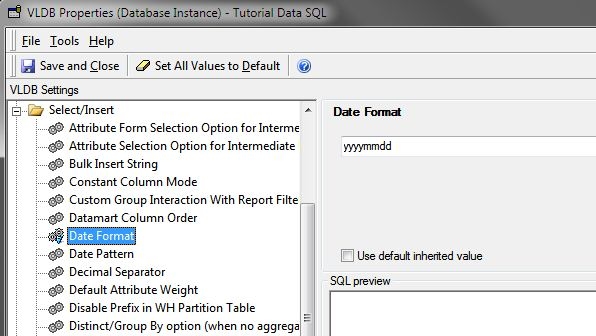
Change the date format setting in the VLDB property Select/Insert -> Date Format at the project level as shown: