SYMPTOM:
When editing a hierarchy, the "Use as a drill hierarchy" option is greyed out and therefore cannot be modified, in Strategy Developer 9.x and later versions, as shown in the screenshot below:

However, the user can make any other changes in the Hierarchy.
CAUSE:
This occurs because the user does not have the proper ACL on the project standard drill map object. For example, the object Tutorial Standard Drill Map in folder \Public Objects\Drill Maps.
ACTION:
You should assign the appropriate ACL access on the project standard drill map object to the user.
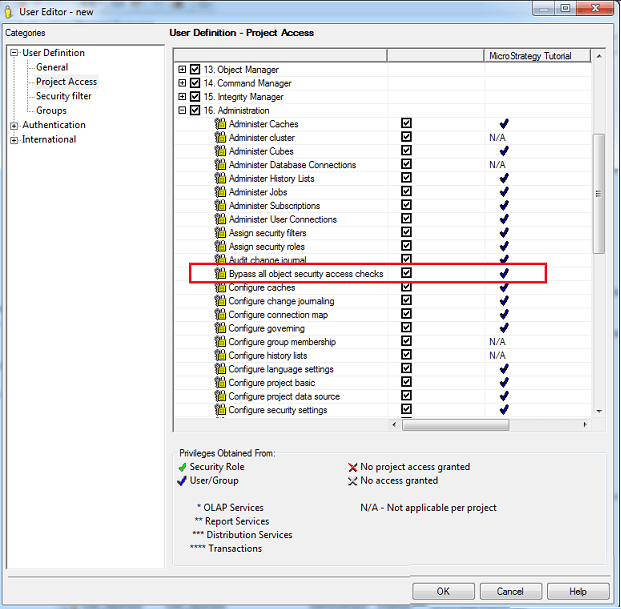
Alternatively, you can give the user the privilege to bypass all object security by selecting Bypass all object security access checks, as shown below: