EducationSoftwareStrategy.com
StrategyCommunity

Knowledge Base

Product

Community

Knowledge Base

TopicsBrowse ArticlesDeveloper Zone

Product

Download SoftwareProduct DocumentationSecurity Hub

Education

Tutorial VideosSolution GalleryEducation courses

Community

GuidelinesGrandmastersEvents
x_social-icon_white.svglinkedin_social-icon_white.svg
Strategy logoCommunity

© Strategy Inc. All Rights Reserved.

LegalTerms of UsePrivacy Policy
  1. Home
  2. Topics

KB40770: How to implement prompt-in-prompt (nested prompt) feature in a FreeForm SQL Report in MicroStrategy Developer 9.4.x-10.x?


Stefan Zepeda

Salesforce Solutions Architect • Strategy


This knowledge base article explains how to implement prompt-in-prompt (nested prompt) feature in a FreeForm SQL Report in MicroStrategy Developer 9.4.x-10.x

In some business scenarios, it is required to implement prompt-in-prompt (nested prompt) feature to use the answer of one prompt to qualify on the elements of another prompt in Freefrom SQL reports in Strategy Developer 9.4.x-10.x. The following procedure describes how to achieve prompt-in-prompt in a Freeform SQL report in Strategy Tutorial project:
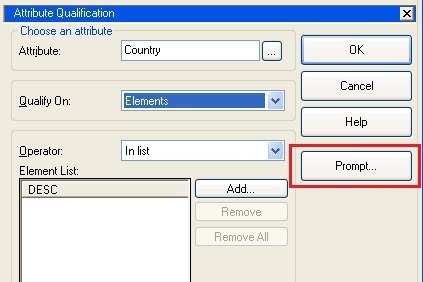
  • Create a new filter, select Add an Attribute qualification and choose the highest level attribute Country. Make sure to Qualify On: Elements. Click Prompt as the image shown below. Accept all the default values without any changes in the popped up window after clicking on "Prompt" as shown below. Save the filter as "Country Filter".
ka02R000000kUsVQAU_0EM440000002DAU.jpeg
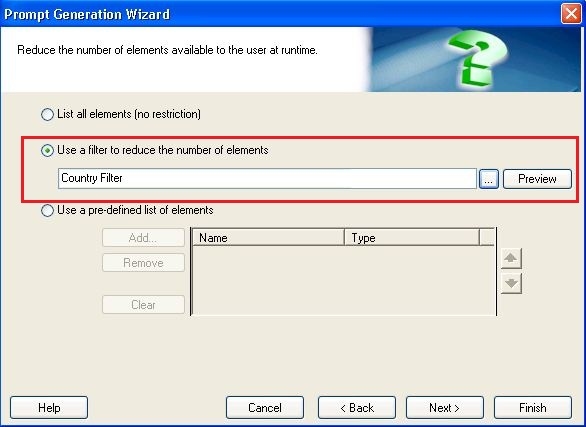
  • Click "Prompt", choose "Use a filter to reduce the number of elements" option and select Country Filter created in last step, as shown below. Save the filter as "Region Filter".
ka02R000000kUsVQAU_0EM440000002DAm.jpeg
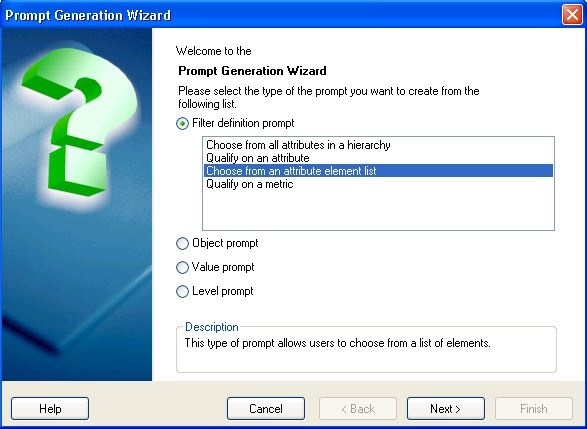
  • Select Filter definition prompt -> Choose from an attribute element list as shown below.
ka02R000000kUsVQAU_0EM440000002DAS.jpeg
  •  
    Choose attribute Call Center and use the Region Filter created in the previous step. Accept the other default values. Save the prompt as "Call Center Prompt".
  • Create a FreeForm SQL Report and add this nested prompt into it.
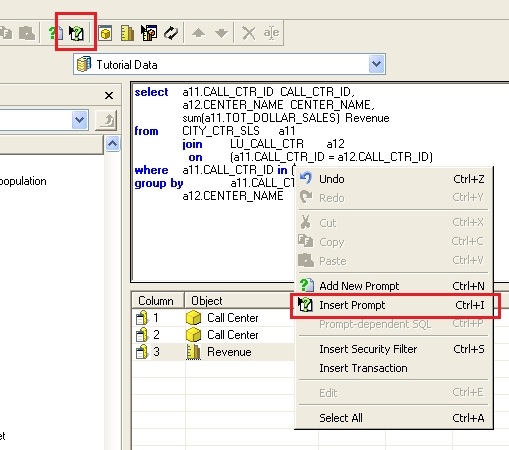
    Type SQL statement and insert Call Center Prompt created in the previous step.
ka02R000000kUsVQAU_0EM440000002DAY.jpeg
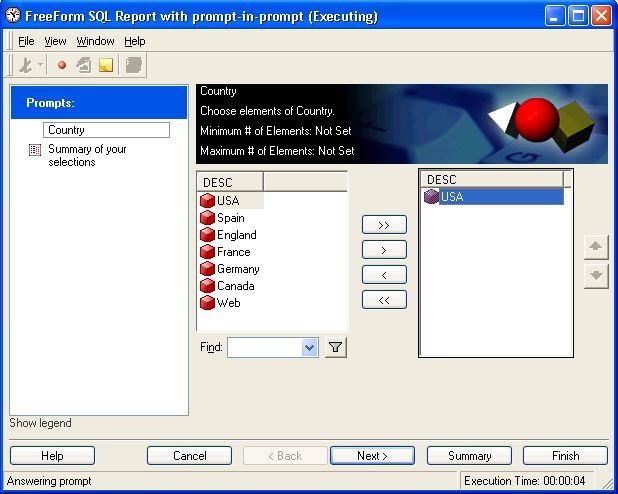
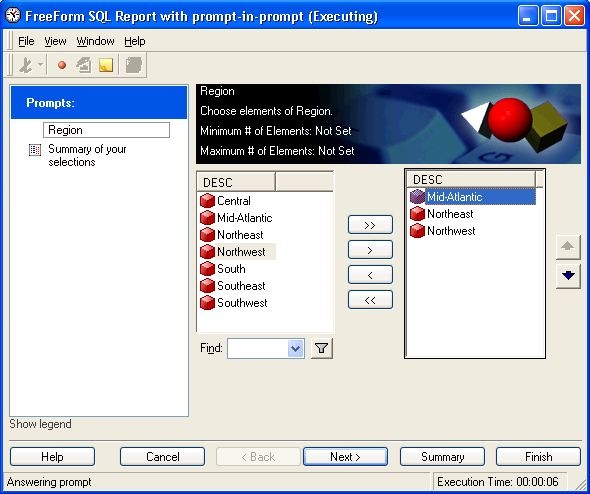
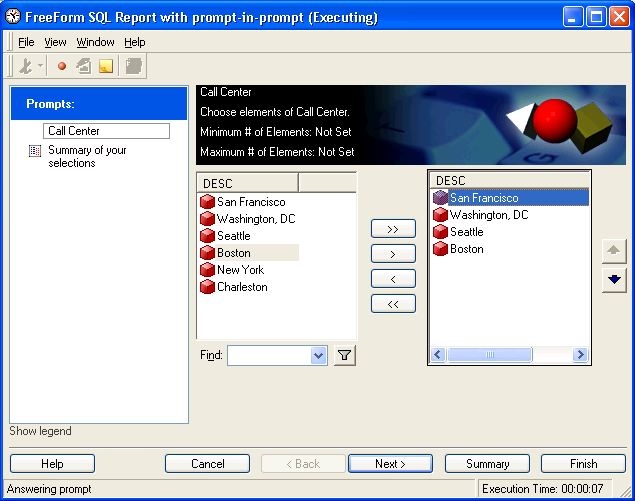
  • Save and run the report. It will prompt for Country, Region and Call Center one by one in different pages. As images below.
     
ka02R000000kUsVQAU_0EM440000002DAk.jpeg
ka02R000000kUsVQAU_0EM440000002DAa.jpeg
ka02R000000kUsVQAU_0EM440000002DAW.jpeg

NOTE: Country and Region are the one-to-many parents of Region and Call Center, respectively. This example uses the prompt answer of Country filter to limit the elements shown in Region prompt. Similarly, prompt answer of Region is used to limit the elements shown in Call Center prompt. This approach works for attributes with one-to-many relationships and can be integrated into a Freeform SQL report.
40770


Comment

0 comments

Details

Knowledge Article

Published:

April 10, 2017

Last Updated:

March 23, 2019