"Maximum number of elements to display" and element display limit in attribute editor settings work together to determine the element attribute display number in Data Explorer.
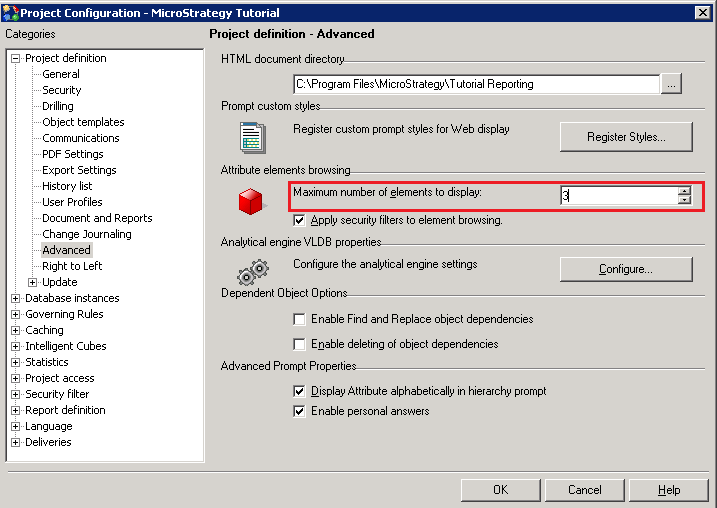
"Maximum number of elements to display" is the maximum number of elements to display in a single request from Desktop at the attribute level. Element requests that exceed this limit but are under the project level setting for maximum element rows are stored on the Intelligence Server. It is configured in project configuration, as shown below:
The element display limit in attribute editor allows incrementally retrieves the number of elements set for the attribute. It is configured in attribute editor, as shown below:
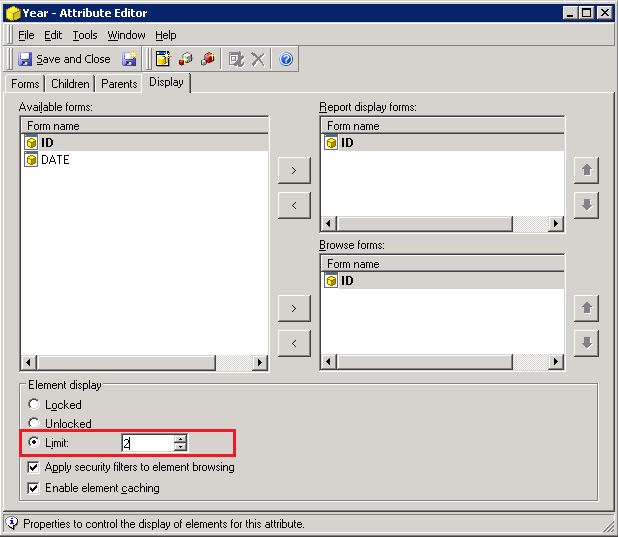
How do the two settings work together when browsing attribute element in Strategy Desktop Data Explorer? The element display limit in attribute editor only controls the display of attribute elements when browsing attributes using the System Hierarchy but not Customer Hierarchy. Customer Hierarchy attribute element display number depends on "Maximum number of elements to display".
The display of attribute elements in the System Hierarchy is controlled by both two things. If the element display limit setting is different for the attribute and the project, the more restrictive of the two settings is used when the attribute is displayed.
For example, if set the "Maximum number of elements to display" in project level to display two attribute elements for each attribute, and element display limit in attribute editor is set to one, the display of elements for that attribute in the System Hierarchy is one. The display of elements for that attribute in Customer Hierarchy is still two. This is because the attribute setting is more restrictive than the project setting. Conversely, with the same project set "Maximum number of elements to display" to two , if set the element display limit in attribute editor to display three elements, only two elements are displayed in both System Hierarchy and Customer Hierarchy for the attribute because the more restrictive setting for the project is enforced.
