In some business scenarios, it is required to drill on attributes by right mouse clicking on a pie chart in Strategy Developer 9.4.1, which only supports "drill on metrics" by default, as shown below.

The following steps describe how to drill on attribute in a pie chart in Tutorial project.
1. Create a report with attribute Category and metric Revenue.
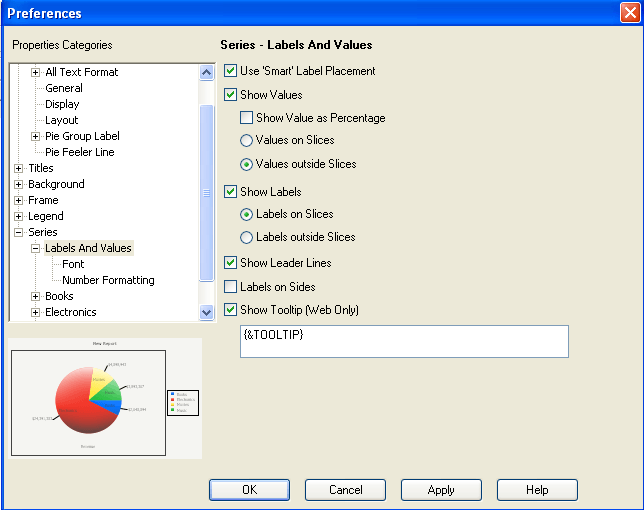
2. Click 'Graph' on the menu, and choose 'Graph Options', as shown below.

3. Choose 'Labels And Values' under 'Series', and check 'Show Labels', as shown below.
4. Users can drill from the attribute by right mouse clicking on the data label, as shown below.
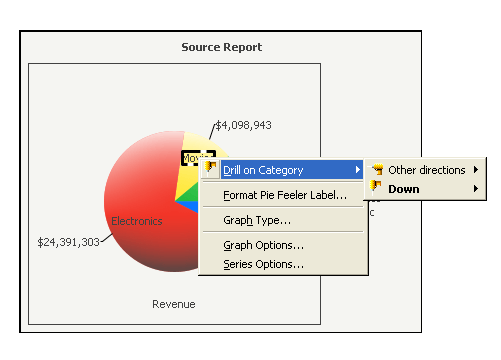
NOTE: Drilling on attributes can be completed by right mouse clicking on the data legend as well. This, however, does not meet the requirement that drilling by right mouse clicking on the pie chart.
