Untrusted certificates used for HTTPS are not supported by Strategy Mobile 9.x.
The following tests can be used to determine whether the certificates you are using are trusted or not.
For all the tests below use the Strategy Mobile Administration page:
http://webserver/MicroStrategyMobile/asp/Admin.aspx
http://webserver/MicroStrategyMobile/servlet/mstrAdmin
The certificate would be considered untrusted, if the following error occurs in the Safari browser on iPad device:
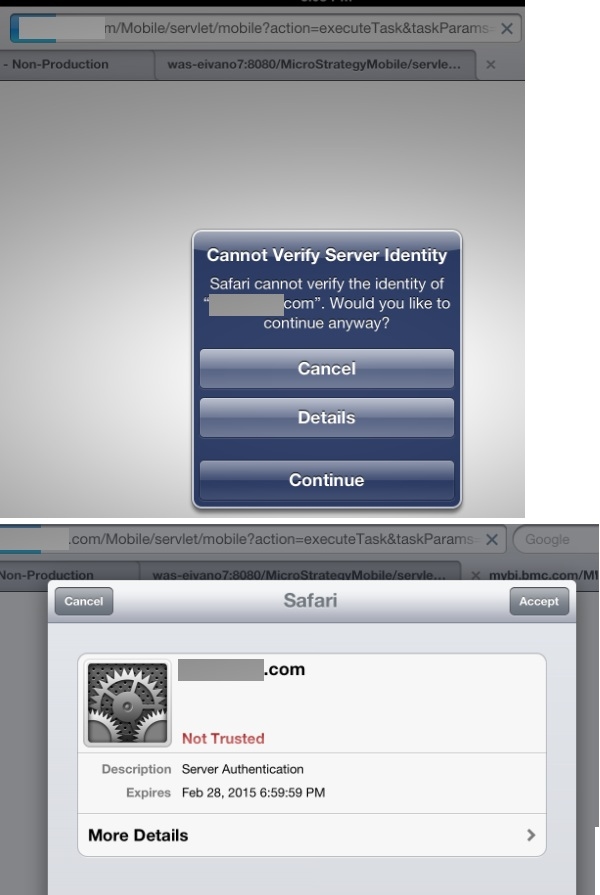
NOTE: It is important to note that, in Safari for iOS, once a user dismissed the "Cannot verify server identity" warning message by clicking "Continue" it will not show again. Therefore this test is only valid if the user did not dismiss the message beforehand already.
The certificate would be considered untrusted, if the following error occurs in the browser:
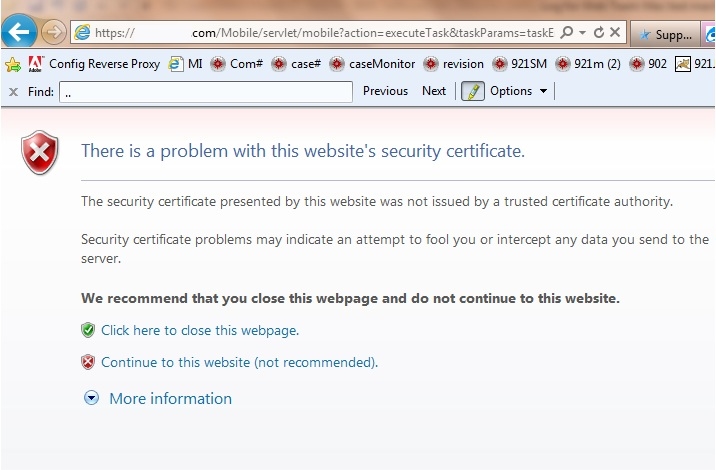
Further details on “Cannot verify server identity” warning:
http://support.apple.com/kb/TS3585?viewlocale=en_US
A full list of trusted certificates for iOS 5 can be found in the following link:
http://support.apple.com/kb/HT5012
In order to use Strategy Mobile app a trusted certificate needs to be installed on the Strategy Mobile Server. Work with your IT department to obtain a trusted certificate.
