SYMPTOM:
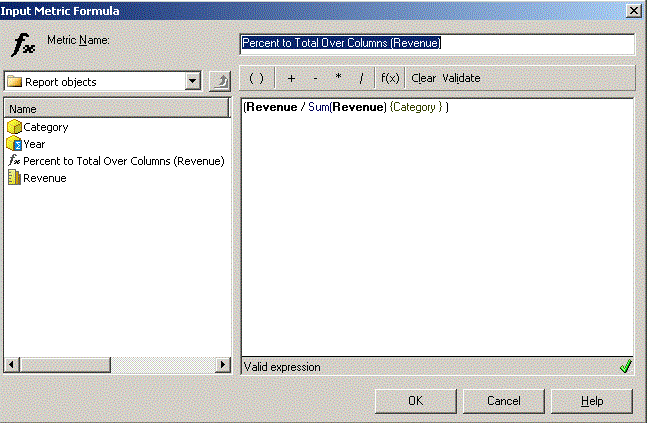
Subtotals and Percent to Total metric get incorrect results with values double counted when executing report with overlapped consolidation elements in tutorial project of Strategy Developer 9.X.
STEPS TO REPRODUCE:
Follow the steps below to reproduce this issue in the Strategy Tutorial project:
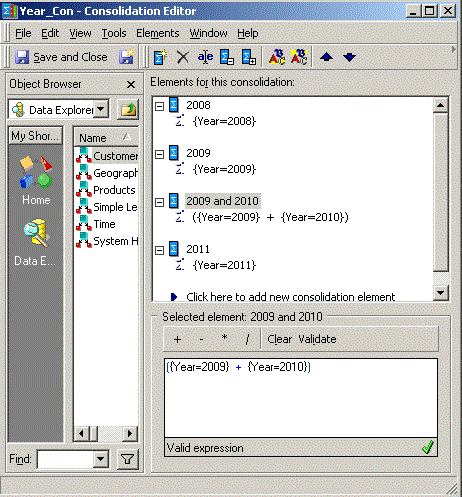
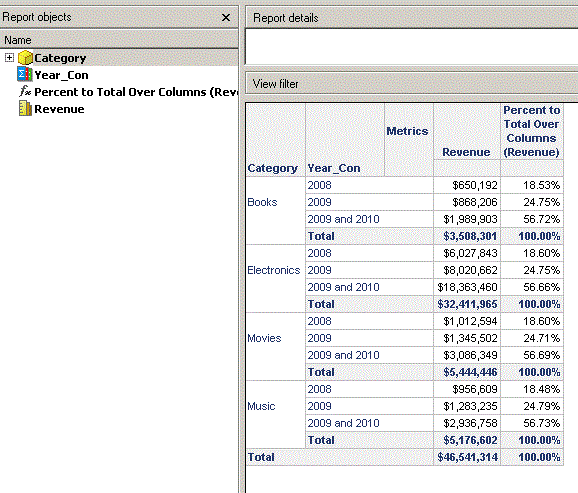
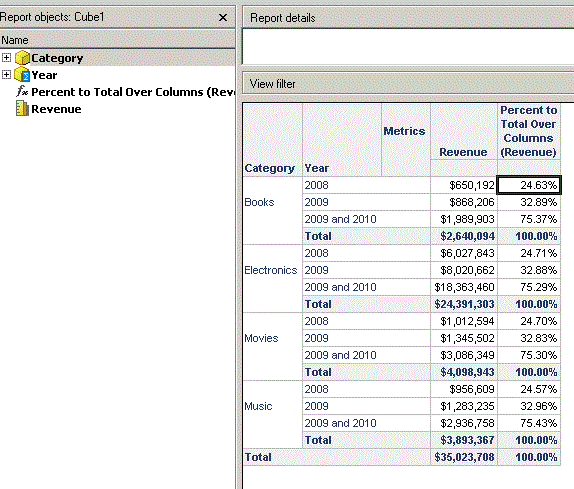
For example, total revenue for books for all years should be 650,192+1,989,903=2,640,094 while it is 650,192+868,206+1,989,903=3,508,301 in report. Value of Percent to Total Over Columns (Revenue) for Books at year 2008 should be 650,192/2,640,903=24.63% while it is 650,192/3,508,301=18.53%.
Cause:
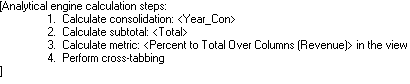
Analytic Engine calculates revenue values for consolidation Year_Con with overlapped elements first, and then calculate subtotal and derived metric "Percent to Total Over Columns (Revenue)" with the double counted values as shown below:
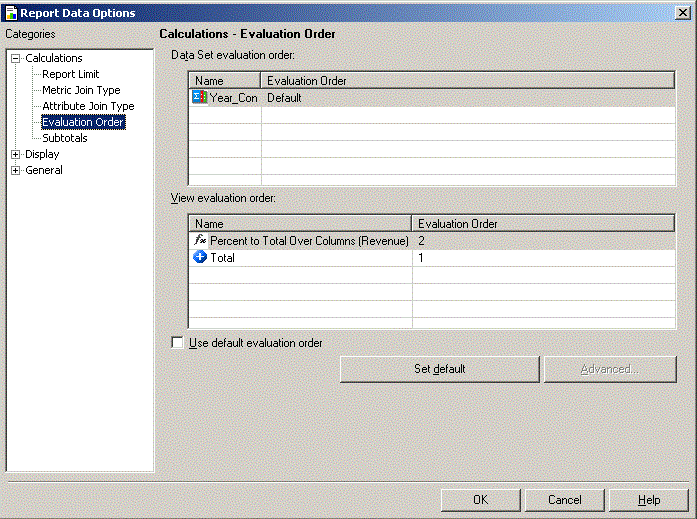
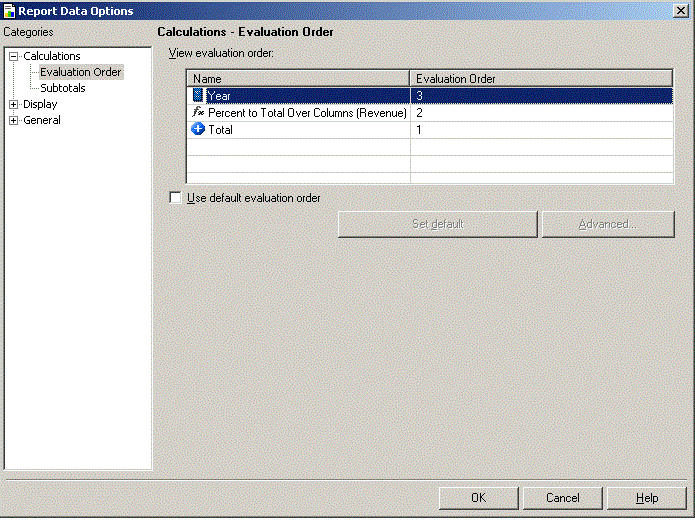
The evaluation order cannot be set to make Year_con calculated after Calculation of subtotal and derived metric finished because consolidation Year_con is in "Data Set evaluation order" section while subtotal and derived metric is in "View evaluation order" as shown below:
WORKAROUND:
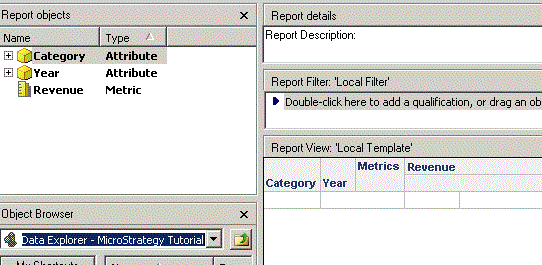
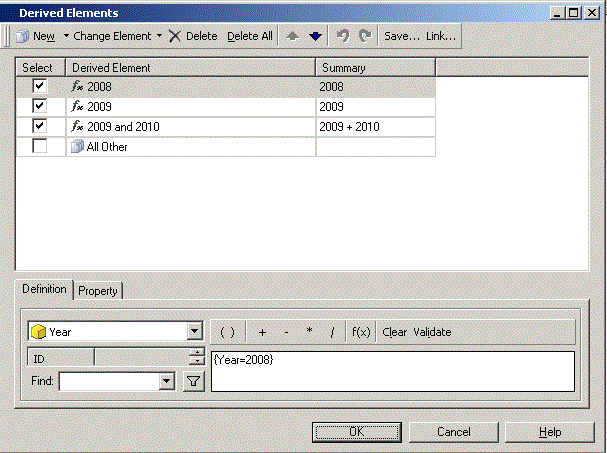
Use derived elements instead of consolidation as steps below:
KB41009
