When using Health Center Cache Collector to generate a cache file for a report or document, the following error appears:

Sample Code/Error
Error running assess: Could not find Cache folder.
STEPS TO REPRODUCE
Follow the steps below to reproduce the issue:
1. Access the Project Configuration menu of the project, in Strategy Desktop.
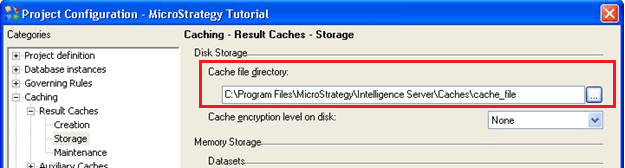
2. Go to Caching > Result Caches > Storage and, under Disk Storage, change the Cache file directory to an absolute path:
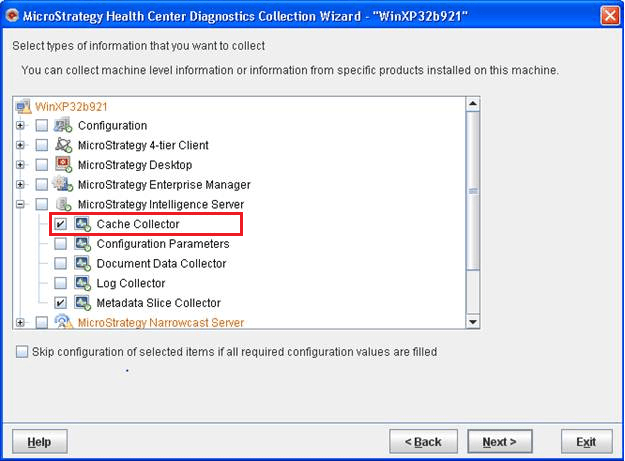
3. Access Health Center Console and run Health Center Diagnostics Collection Wizard, by right mouse clicking on the machine that stores the Intelligence Server:

4. Select "Cache Collector", as the information to collect:
CAUSE
This is a known issue in Strategy 9.2.1.
ACTION
Please, contact Strategy Technical Support for an update on the status of this issue.
WORKAROUND
Use a path relative to the Strategy Intelligence Server folder.
