SYMPTOM:
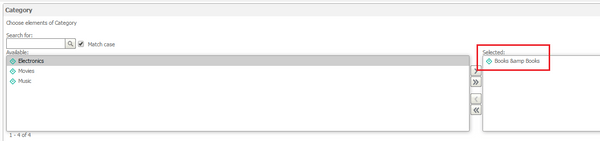
In Strategy, attributes can have an HTML Tag attribute form. The HTML Tag attribute form allows for an attribute to contain HTML code which can be rendered in a grid. For example, “&” will render as “&” in a grid as seen below. However, the HTML code will not render as expected in a dynamic textbox as highlighted in the image below. This dynamic textbox shows the selected prompt answer for the underlying report which utilizes an element list prompt.

Similarly, the HTML tag will not render correctly on the prompts page in Web as seen below. This is the same behavior as seen with the dynamic textbox.
STEPS TO REPRODUCE:
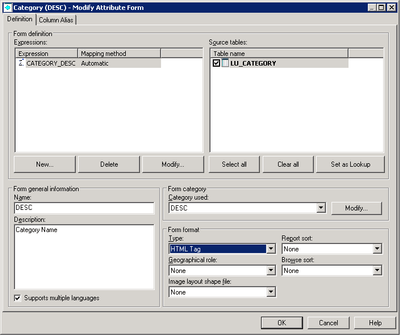
Change the form format type to HTML Tag in the Category (DESC) form.
CAUSE:
This is an identified defect in Strategy Web 10.x.
ACTION:
This issue has been addressed in Strategy 10.10. Upgrade to this version to take advantage of this fix
