SYMPTOM:
Panel stacks set as Information Windows are visible after exporting the document to Excel & PDF even though the info window is not visible during document execution in Strategy Web
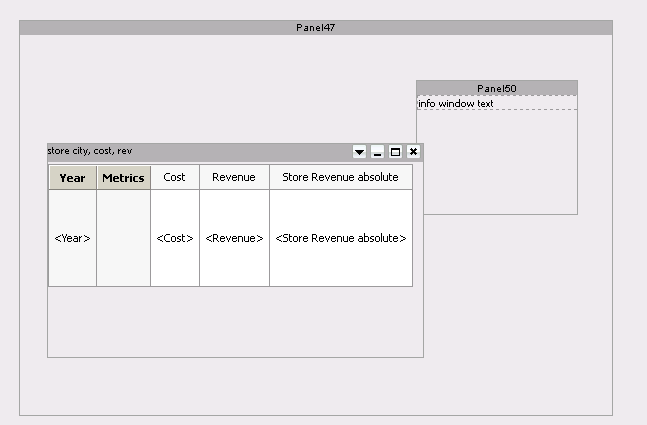
For example, below is a Document in Design showing a grid and Information Window panel stack within a panel:
If the document were executed and exported without triggering the information window first, panel stack would still be visible in the export, like shown below:
PDF export
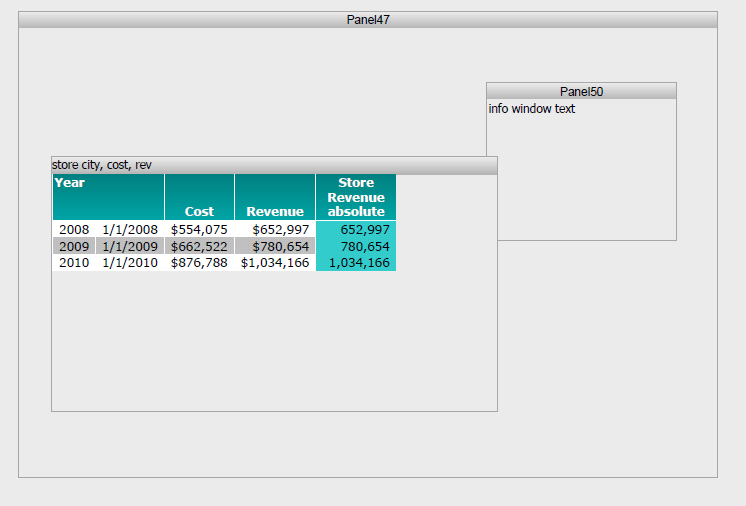
In Excel, the info window would be completely visible.
CAUSE:
In PDF, as long as the panel stack is placed behind another object that can cover it, it will be covered. However this is a known limitation within Strategy Web. An idea has been posted to the idea exchange to prevent the information window from being displayed in exports if the panel stack was not visible on the original document.
ACTION:
Like and comment the idea in the idea exchange:
Ability to hide any document object for exporting or printing
Contact Strategy Technical Support for an update on this issue.
WORKAROUND:
1. For PDF exports, it is possible to hide the Information Window panel stack behind other objects in Design Mode to prevent the panel stack from being displayed.
Note: this workaround does not apply to Excel exports.
2. Try disabling the option:
"Clip contents of panel stack when exporting" in info window panel stack properties and formatting
