SYMPTOM:
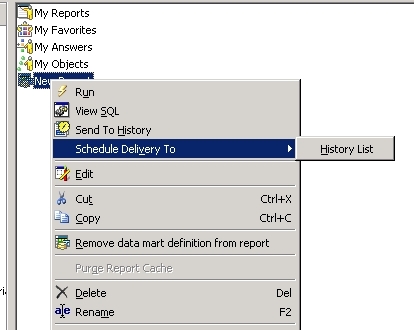
Unable to schedule delivery to update cache with a data mart report, only schedule delivery to history list is available.
STEPS TO REPRODUCE:
1. Create and save a datamart report.
2. Right-click on the new object and select 'Schedule Delivery to'.
3. Note that the only option available is 'History List'.
CAUSE:
This is a known issue in Strategy Developer 9.4.x-10.x and higher.
ACTION:
Strategy will continue to investigate and post updates as soon as they are available.
