EducationSoftwareStrategy.com
StrategyCommunity

Knowledge Base

Product

Community

Knowledge Base

TopicsBrowse ArticlesDeveloper Zone

Product

Download SoftwareProduct DocumentationSecurity Hub

Education

Tutorial VideosSolution GalleryEducation courses

Community

GuidelinesGrandmastersEvents
x_social-icon_white.svglinkedin_social-icon_white.svg
Strategy logoCommunity

© Strategy Inc. All Rights Reserved.

LegalTerms of UsePrivacy Policy
  1. Home
  2. Topics

KB41235: LDAP Attributes missing in the "Select LDAP Attributes" drop down when configuring the import of LDAP attributes for System Prompt usage in MicroStrategy 10.x and 9.x


Community Admin

• Strategy


This technote explains what the possible reason is when the system prompt doesn't show any LDAP attributes.

SYMPTOM:
When configuring the Intelligence Server for the Importing of LDAP Attributes, the drop down list of LDAP attributes may not contain all the LDAP attributes that exist for LDAP users.
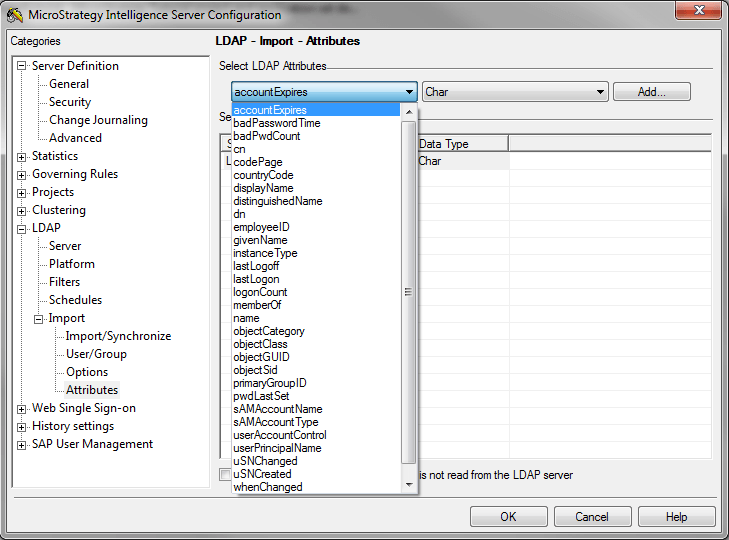
 

ka04W000000OglsQAC_0EM4400000029iy.png

 
This feature may be required in order to create specific System Prompts using the LDAP Attributes
 
CAUSE:
The LDAP attribute list is populated based on the security and available attributes of the Authentication User for the LDAP Server. 
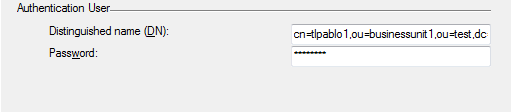
 

ka04W000000OglsQAC_0EM4400000029it.png

 
If the Authentication User does not have the sufficient permission to access the desired attributes on the LDAP server, then those LDAP attributes will not appear in the list to be imported.
 
ACTION:
The Authentication User need to be able to see the desired attributes as part of its User Account object in the LDAP Server. As well, ensure that the Authentication User has proper security access to search and view the other LDAP user's attributes.


Comment

0 comments

Details

Knowledge Article

Published:

June 9, 2017

Last Updated:

June 9, 2017