EducationSoftwareStrategy.com
StrategyCommunity

Knowledge Base

Product

Community

Knowledge Base

TopicsBrowse ArticlesDeveloper Zone

Product

Download SoftwareProduct DocumentationSecurity Hub

Education

Tutorial VideosSolution GalleryEducation courses

Community

GuidelinesGrandmastersEvents
x_social-icon_white.svglinkedin_social-icon_white.svg
Strategy logoCommunity

© Strategy Inc. All Rights Reserved.

LegalTerms of UsePrivacy Policy
  1. Home
  2. Topics

KB412407: How to find MicroStrategy Narrowcast Server users listed as active in MicroStrategy License Manager


Community Admin

• Strategy


This article describes how to find the MicroStrategy Narrowcast Server users listed as active in MicroStrategy License Manager.

It is possible to perform an audit with Strategy License Manager to find the number of Strategy Narrowcast Server active users, as shown below:
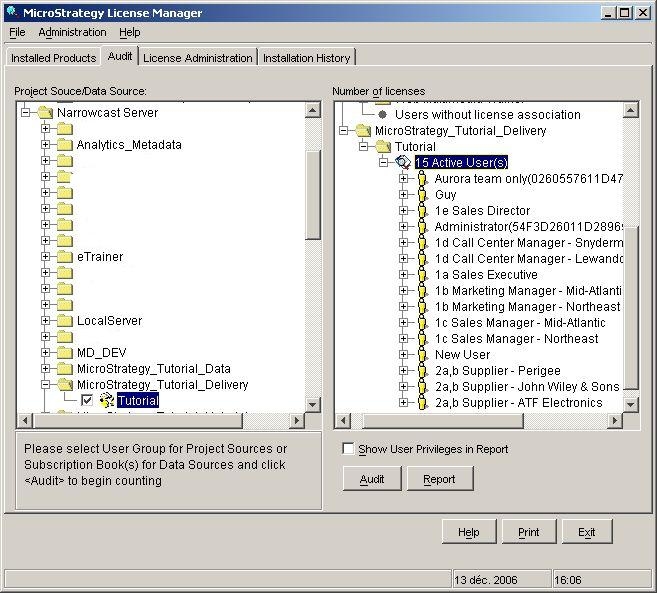
ka04W000000Oae2QAC_0EM440000002BWX.jpeg

 
To find these active users in the Strategy Narrowcast Administrator console, follow the steps below:
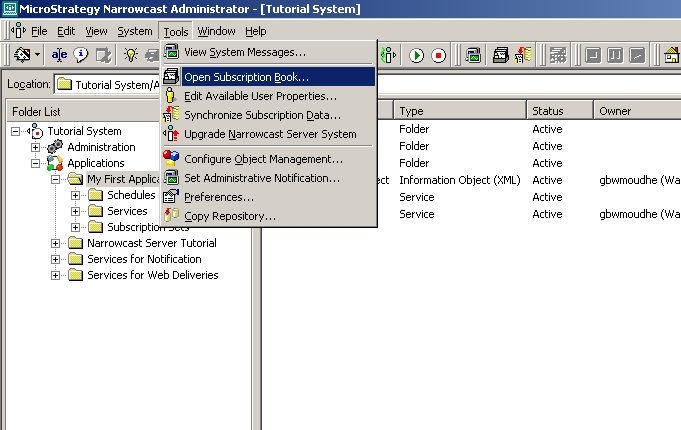
  • In the Narrowcast Administrator console, click on Tools and select Open Subscription Book, as shown below:
ka04W000000Oae2QAC_0EM440000002BWK.jpeg
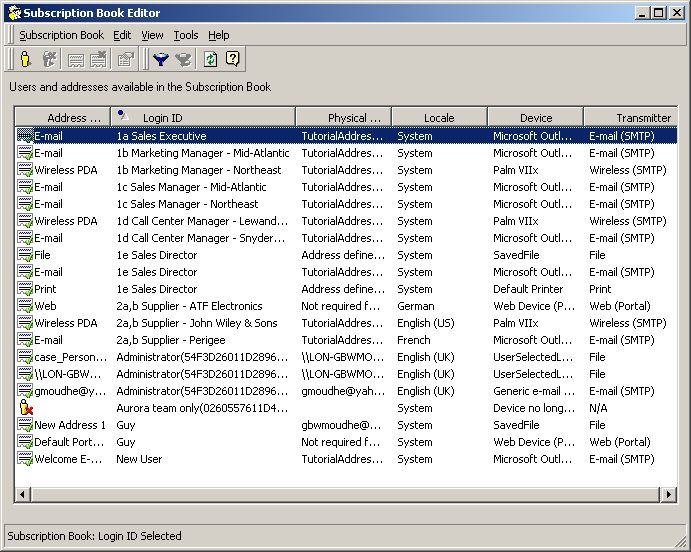
  • The list of active users will be displayed, as shown below. Each user can be uniquely identified by the Login ID column:
ka04W000000Oae2QAC_0EM440000002BWM.jpeg


  KB412407


Comment

0 comments

Details

Knowledge Article

Published:

June 22, 2017

Last Updated:

December 31, 2018