SYMPTOM:
When re-executing a Report Services Document, it appears that a valid document cache has been created, but the underlying dataset caches are being hit as well.
Document Cache:

Report Cache:

This assumes that document caching is enabled for XML files, and that report caching is enabled.
CAUSE:
In Strategy 9.x, by design, when a History List is created off of a Document, the underlying Datasets will be hit upon execution. In this example, the History List message has not been created manually by a User, as the following option was selected in Strategy Web to add any report / document execution automatically to History List:
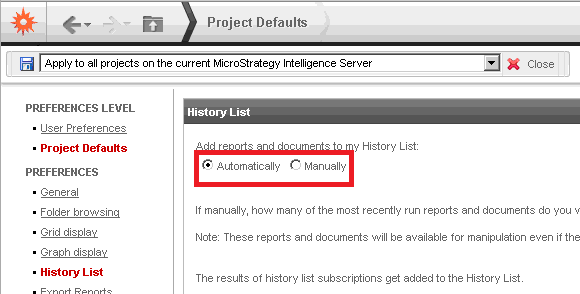
When the 'Add reports and documents to my History List:' is set to 'Automatically' , this will force all document executions to execute the underlying dataset caches.
ACTION:
Change the 'Add reports and documents to my History List:' setting to 'Manually'. This setting may have been set to 'Automatically' unknowingly on a project, and can cause the behavior described.
This issue will occur with all Versions of Document XML cache (Interactive, Express, Editable).
Strategy will continue to investigate and post updates as soon as they are available.
