SYMPTOM:
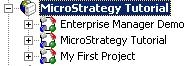
Administrative users of a Strategy metadata cannot see the Administration icon when they log into the Project Source through Strategy Desktop.
Note: This issue is machine specific.
CAUSE:
The inability to access the Administration icon occurs when the Server Administrator component of the Strategy suite has not been installed on the local machine. To verify this, go to the License Manager and in the bottom left corner of the window of "Installed Products" determine if 'Server Administrator' is present, as shown below:

ACTION:
To resolve this issue, install Strategy Server Administrator on the local machine.
The 'Server Administrator' component to be installed is available under the product 'Strategy Desktop' as shown below:

If the current CD key in the License Manager is the same CD key used when the version of Strategy was installed, then the Server Administrator component can simply be over-installed on the machine. If the CD key has been changed, then consult the specifications of the new CD key as a reinstallation may change the configuration of the local machine.
KB413041
