EducationSoftwareStrategy.com
StrategyCommunity

Knowledge Base

Product

Community

Knowledge Base

TopicsBrowse ArticlesDeveloper Zone

Product

Download SoftwareProduct DocumentationSecurity Hub

Education

Tutorial VideosSolution GalleryEducation courses

Community

GuidelinesGrandmastersEvents
x_social-icon_white.svglinkedin_social-icon_white.svg
Strategy logoCommunity

© Strategy Inc. All Rights Reserved.

LegalTerms of UsePrivacy Policy
  1. Home
  2. Topics

KB41349: Attribute Element prompt page appears twice when a personal answer is saved for another filter in the same document in MicroStrategy Web 9.3.0.


Community Admin

• Strategy


SYMPTOM:
 
When a user selects an element filter in a object and saves a personal answer for a different filter for the same document, the users see the prompt screen for the element filter twice, in Strategy Web 9.3.0.
 
STEPS TO REPRODUCE:
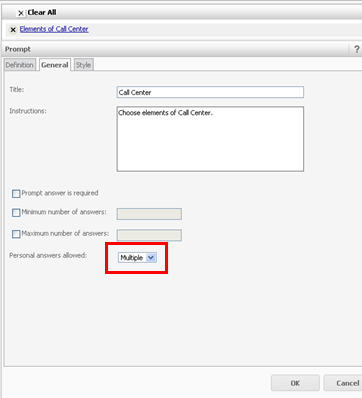
  • Create a filter - Elements of Call Center ( Filter prompt based on attribute - Call Center).
  • Ensure 'Personal Answers Allowed' is set to Multiple, as shown below.
ka04W000000OfxSQAS_0EM4400000026zI.png
  • Create a filter- Elements of Month ( Filter prompt based on attribute - Month).
ka04W000000OfxSQAS_0EM4400000026zK.png
  • Create a filter - Elements of Year ( Filter prompt based on attribute- Year).
ka04W000000OfxSQAS_0EM4400000026zM.png
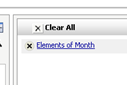
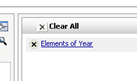
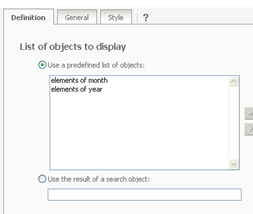
  • Create an object prompt 'Time Prompt' containing two filters 'Elements of Month' and 'Elements of Year' from steps 3 and 4.
ka04W000000OfxSQAS_0EM4400000026zH.png
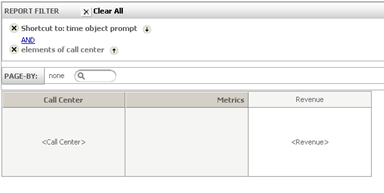
  • Create a grid report containing Attribute 'Call Center', Metric 'Revenue'. The grid report should contain the filter 'Elements of Call Center' and the object prompt 'Time Prompt', created in steps 1 and 5.
ka04W000000OfxSQAS_0EM4400000026zP.png
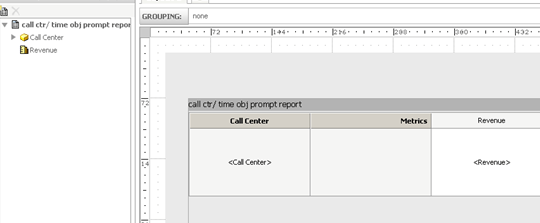
  • Create a new document from the grid report.
ka04W000000OfxSQAS_0EM4400000026zG.png
  • Run the new document in Strategy Web 9.3.0.
  • Select "Elements of year" for the object prompt.
  • Select all call centers for the call center prompt.
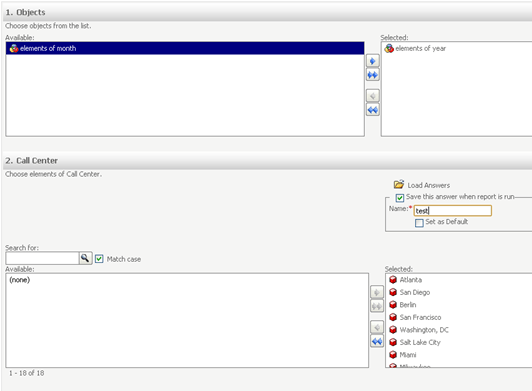
  • Save the prompt answer for call center as a personal prompt answer, as shown below.
ka04W000000OfxSQAS_0EM4400000026zN.png
  • Click run document.
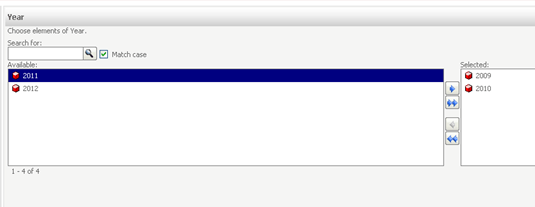
  • Select some years and run the document again.
ka04W000000OfxSQAS_0EM4400000026zL.png
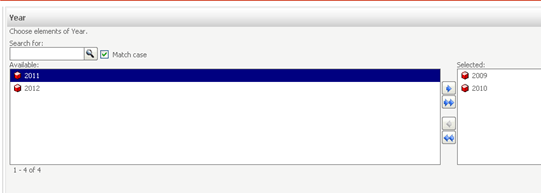
  • The user is again prompted to select elements of year.
ka04W000000OfxSQAS_0EM4400000026zJ.png

CAUSE:
 
This is a known issue with Strategy Web 9.3.0. The same will not happen for the underlying report, only for the document object.
 
ACTION:
 
Contact Strategy Technical Support for an update on this issue.


Comment

0 comments

Details

Knowledge Article

Published:

July 17, 2017

Last Updated:

July 17, 2017