EducationSoftwareStrategy.com
StrategyCommunity

Knowledge Base

Product

Community

Knowledge Base

TopicsBrowse ArticlesDeveloper Zone

Product

Download SoftwareProduct DocumentationSecurity Hub

Education

Tutorial VideosSolution GalleryEducation courses

Community

GuidelinesGrandmastersEvents
x_social-icon_white.svglinkedin_social-icon_white.svg
Strategy logoCommunity

© Strategy Inc. All Rights Reserved.

LegalTerms of UsePrivacy Policy
  1. Home
  2. Topics

KB413742: How to create a metric template


Community Admin

• Strategy


How to create a metric template.

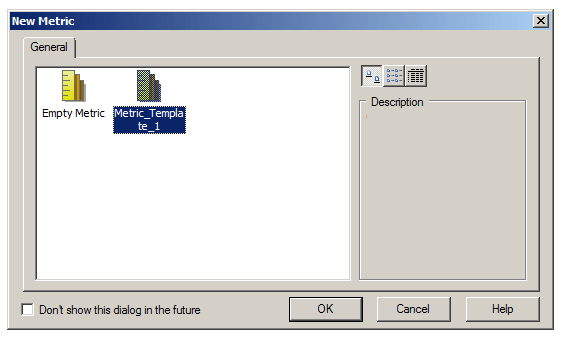
A metric template is an option for a preset configuration of metric settings.  Upon creating a new metric, any metric templates will show up as preset options to choose from, similar to preset template options when creating a new report.
ka04W000000OfKaQAK_0EM440000002CA4.jpeg

Creating a metric template can be useful if multiple metrics need to be made with the same settings, especially if these settings are somewhat labor-intensive (e.g. multiple levels, custom subtotals.)  Metric templates also ensure that all desired metric settings are retained when creating metrics in bulk.
 
Steps to create a metric template:
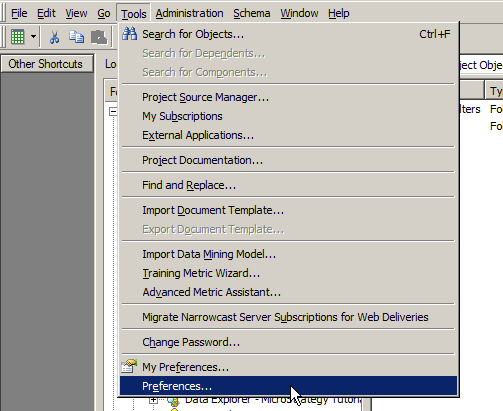
  • In Developer, click on the Tools menu and select "Preferences..."
ka04W000000OfKaQAK_0EM440000002CAM.jpeg
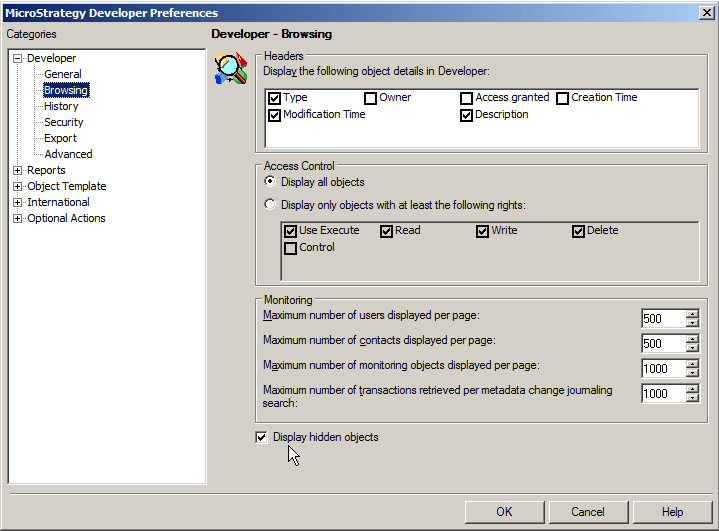
  • On the left select "Browsing" and click the checkbox to enable "Display hidden objects." Click OK.

​​​​​​​

ka04W000000OfKaQAK_0EM440000002CAE.jpeg


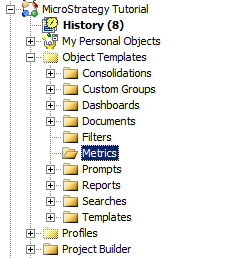
  • In the project, navigate to the newly displayed folder Object Templates -> Metrics.  Any metric created in this folder will become a metric template.
ka04W000000OfKaQAK_0EM440000002CA8.jpeg
  • Create a new metric in this folder
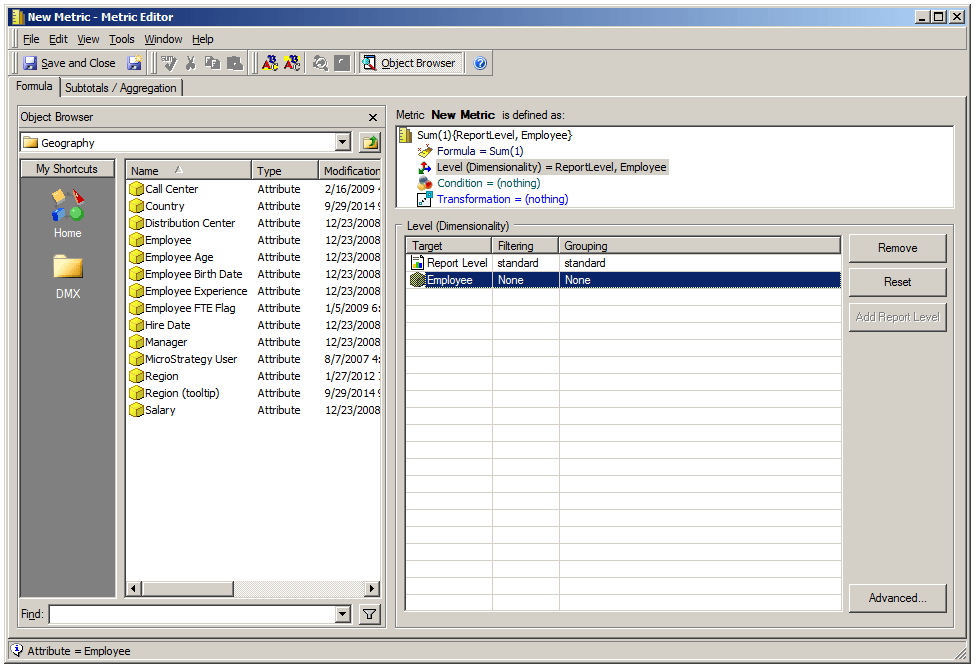
  • For the metric definition, put in some dummy value as a placeholder (e.g. “sum(1)”). This will allow you to make modifications to other fields such as the level and condition.
ka04W000000OfKaQAK_0EM440000002CA6.jpeg
  1. Configure the metric settings as desired and save and close the metric.
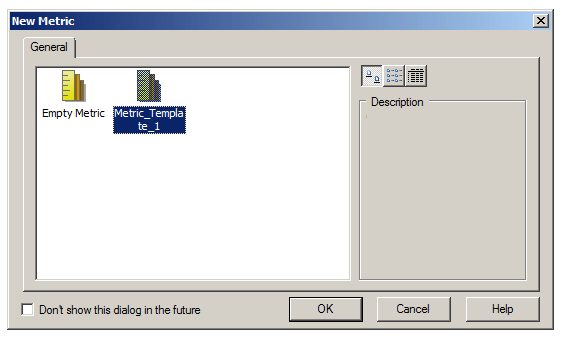
  2. Go back to the folder in which you want to make your new metrics and create a new metric. The newly created metric template will show up as an option.  The metric settings will be as configured previously, avoiding extra labor when creating metrics with similar settings.
ka04W000000OfKaQAK_0EM440000002CAA.jpeg


KB413742


Comment

0 comments

Details

Knowledge Article

Published:

June 8, 2017

Last Updated:

December 31, 2018