EducationSoftwareStrategy.com
StrategyCommunity

Knowledge Base

Product

Community

Knowledge Base

TopicsBrowse ArticlesDeveloper Zone

Product

Download SoftwareProduct DocumentationSecurity Hub

Education

Tutorial VideosSolution GalleryEducation courses

Community

GuidelinesGrandmastersEvents
x_social-icon_white.svglinkedin_social-icon_white.svg
Strategy logoCommunity

© Strategy Inc. All Rights Reserved.

LegalTerms of UsePrivacy Policy
  1. Home
  2. Topics

KB414243: Consolidation element expressions do not display all browse forms of an attribute if the ID form is the browse form for an attribute in MicroStrategy


Community Admin

• Strategy


In MicroStrategy, when a consolidation is created and a consolidation element references an element of an attribute whose browse forms include the ID form, it replaces all other display forms with commas. Without the ID form, it appears to display correctly.

In Strategy 9.4.1, when a consolidation is created and a consolidation element references an element of an attribute whose browse forms include the ID form, it replaces all other display forms with commas. Without the ID form, it appears to display correctly.
 
STEPS TO REPRODUCE:
Follow the steps below to reproduce this issue in Strategy Tutorial:

  • Create a consolidation and add the first element of the Customer attribute, Alen Aaby. The consolidation element expression should display as follows:

ka04W000000uGDBQA2_0EM440000002CVJ.png
  • In the Customer attribute, add the ID form as a browse form.
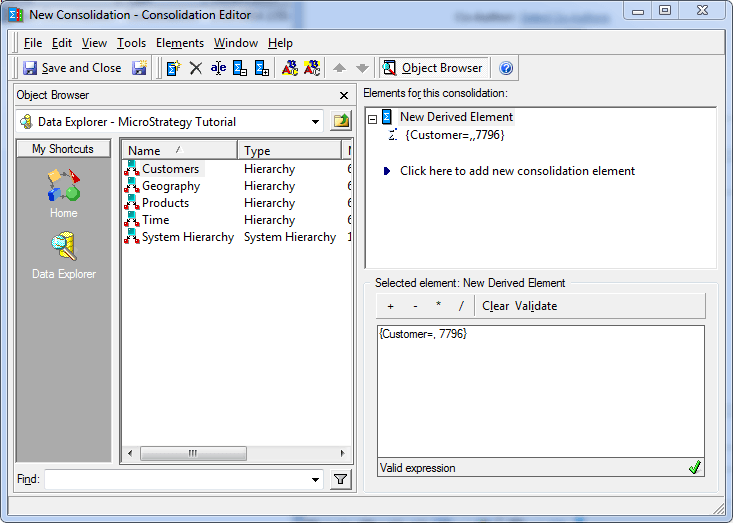
  • Reopen the consolidation and it should modify the consolidation element expression to the following:

ka04W000000uGDBQA2_0EM440000002CVR.png

CAUSE:
This is a known issue in Strategy 9.4.1
 
ACTION:
Contact Strategy Technical Support for an update on this issue. 
 
WORKAROUND:
In this example, create a false ID form for the Customer attribute and add it as a browse form.
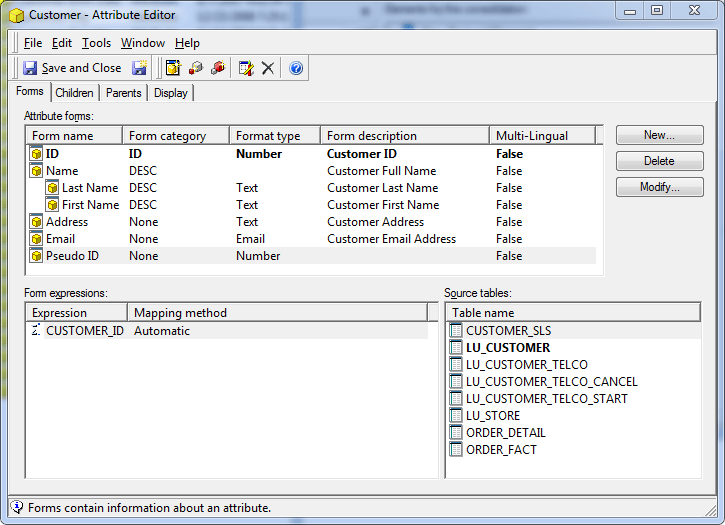
ka04W000000uGDBQA2_0EM440000002CVN.png
ka04W000000uGDBQA2_0EM440000002CVI.png

Note: Changes won't take effect until the element reference in the consolidation element expression is removed and then added back in.

ka04W000000uGDBQA2_0EM440000002CVL.png

 
KB414243


Comment

0 comments

Details

Knowledge Article

Published:

June 2, 2017

Last Updated:

January 1, 2019