EducationSoftwareStrategy.com
StrategyCommunity

Knowledge Base

Product

Community

Knowledge Base

TopicsBrowse ArticlesDeveloper Zone

Product

Download SoftwareProduct DocumentationSecurity Hub

Education

Tutorial VideosSolution GalleryEducation courses

Community

GuidelinesGrandmastersEvents
x_social-icon_white.svglinkedin_social-icon_white.svg
Strategy logoCommunity

© Strategy Inc. All Rights Reserved.

LegalTerms of UsePrivacy Policy
  1. Home
  2. Topics

KB41483: How to list enabled users in metadata using MicroStrategy Command Manager


Community Admin

• Strategy


This document shows how to list Intelligence Server users and their account status using Strategy Command Manager.
 
3-tier Tutorial project is used to perform the following steps.


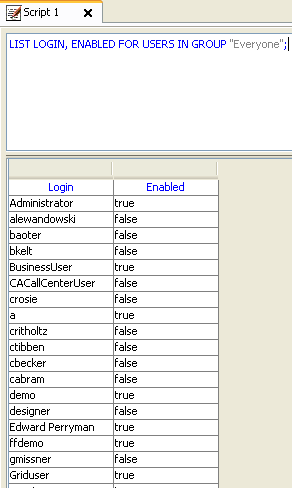
LIST LOGIN, ENABLED FOR USERS IN GROUP "Everyone";
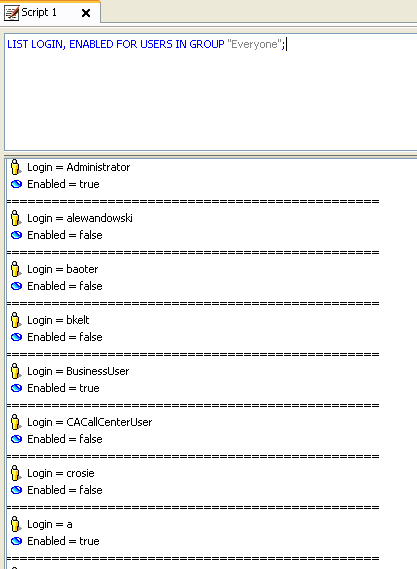
  1. Run the following script in the command line in Command Manager.
ka04W000001MKvBQAW_0EM4400000029hv.png


For 'Enabled=true' means the user is enabled in metadata while 'Enabled=false' means the user is disabled.


Third Party Software Installation:
WARNING:
The third-party product(s) discussed in this technical note is manufactured by vendors independent of Strategy. Strategy makes no warranty, express, implied or otherwise, regarding this product, including its performance or reliability.
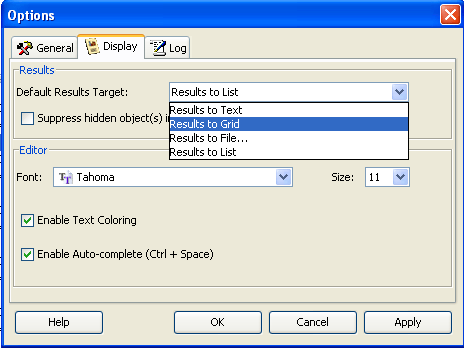


  • In the menu, go to 'Tools -> Options'. Click tab 'Display' and select 'Results to grid' in the dropdown list. Then click 'OK'.
     
ka04W000001MKvBQAW_0EM4400000029ht.png
  • The results will appear in grid which is more readable.
     
ka04W000001MKvBQAW_0EM4400000029hx.png
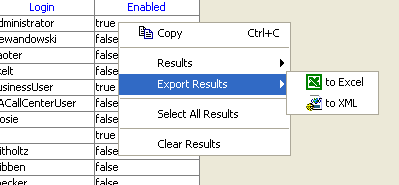
  • Right mouse click the grid and choose 'Export Results -> to Excel'.
     
    <
ka04W000001MKvBQAW_0EM4400000029hj.png
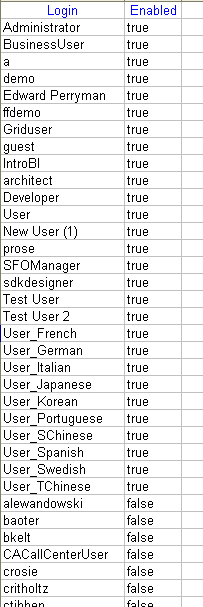
  • Open the exported excel file in Microsoft Excel and sort the results by column 'Enabled'. On the top are all enabled users on the bottom are disabled users.
     
ka04W000001MKvBQAW_0EM4400000029hz.png

Comment

0 comments

Details

Knowledge Article

Published:

April 4, 2017

Last Updated:

April 4, 2017