After setting up a Database instance in Strategy Developer 9.x to connect to Hyperion Essbase 9 MDX cube catalog like the following:
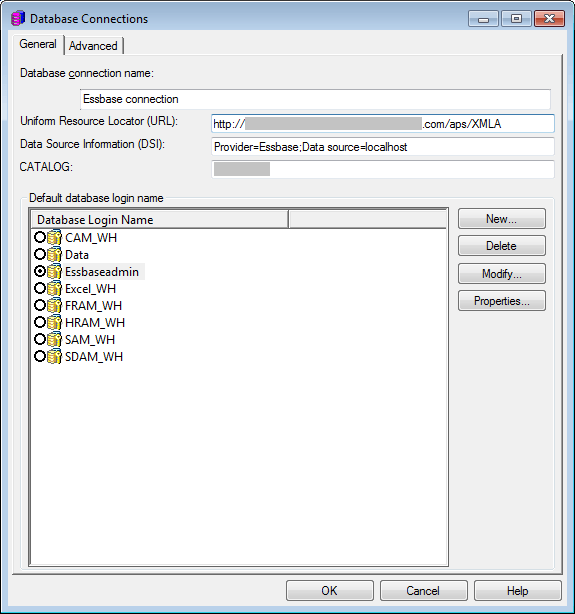
Uniform Resource Locator (URL): http://<Server_Name>/XMLA
Data Source Information (DSI): Provider:Essbase;Data source=<Server_Name>
CATALOG: <Catalog_Name>
Opening the MDX cube catalog in Strategy Desktop shows the error message:
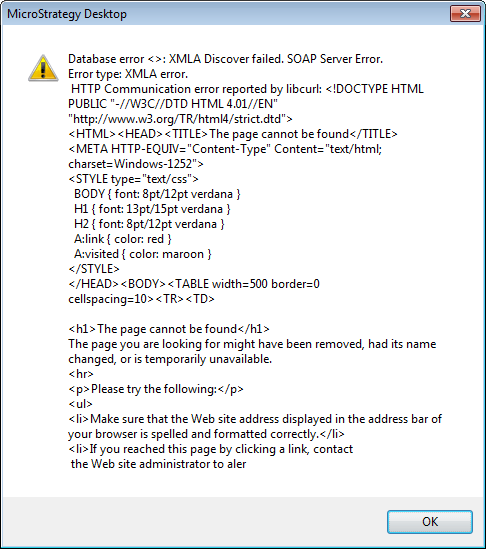
Database error <>: XMLA Discover failed. SOAP Error. Error type: XMLA error. HTTP Communication error reported by libcurl: <!DOCTYPE HTML PUBLIC "-//W3C//DTD HTML 4.01//EN" "http://www.w3.org/TR/html4/strict.dtd">
<HTML><HEAD><TITLE>The page cannot be found</TITLE>
<META HTTP-EQUIV="Content-Type" Content="text/html; charset=Windows-1252">
<STYLE type="text/css">
BODY { font: 8pt/12pt verdana } H1 { font: 13pt/15pt verdana } H2 { font: 8pt/12pt verdana }
A:link { color: red } A:visited { color: maroon }</STYLE></HEAD><BODY><TABLE width=500 border=0 ellspacing=10><TR><TD>
<h1>The page cannot be found</h1>
The page you are looking for might have been removed, had its name changed, or is temporarily unavailable.
<hr><p>Please try the following:</p><ul>
<li>Make sure that the Web site address displayed in the address bar of your browser is spelled and formatted
correctly.</li>
<li>If you reached this page by clicking a link, contact the Web site administrator to alert them that the link is incorrectly formatted.</li>
<li>Click the <a href="javascript:history.back(1)">Back</a> button to try another link.</li>
</ul>
<h2>HTTP Error 404 - File or directory not found.<br>Internet Information Services (IIS)</h2>
<hr><p>Technical Information (for support personnel)</p><ul><li>Go to <a href="http://go.microsoft.com/fwlink/?linkid=8180">MicrosoftProduct Support Services</a> and perform a title search for the words <b>HTTP</b> and<b>404</b>.</li><li>Open <b>IIS Help</b>, which is accessible in IIS Manager (inetmgr), and search for topics titled <b>Web Site Setup</b>, <b>Common Administrative Tasks</b>, and <b>About Custom Error Messages</b>.</li>
</ul></TD></TR></TABLE></BODY></HTML>
Error trying to get the information from the data source(DB Instance, Error:XMLA Discover failed. SOAP Error.)
Another possible error message is:
Sample Code/Error
Protocol http not supported or disabled in libcurl
Get HTTP error:
++++++++++++++++++++++++++++++++
Protocol http not supported or disabled in libcurl.Target URL: http://XXXXXXXX.com/aps/XMLA
This error happens when there is no port defined in the URL for the XMLA source. The typical URL is defined by the fully qualified name of the machine and the port for the XMLA provider.
For example, http://fully-qualified-machinename:8080/xmla/EssbaseXmlForAnalysis.
Please refer to KB13303 for more details.
This error will also occur if there is a malformed URL in the connection setup for that XMLA source like in this example "htpt://XXXXXXXX.com:<port>/aps/XMLA" or the less evident case with a space as in " http://XXXXXXXX.com:<port>/aps/XMLA"
Update theUniform Resource Locator (URL) value in the database connection to add the port where the XMLA provider
Also make sure there are no spaces or spelling errors in the URL.
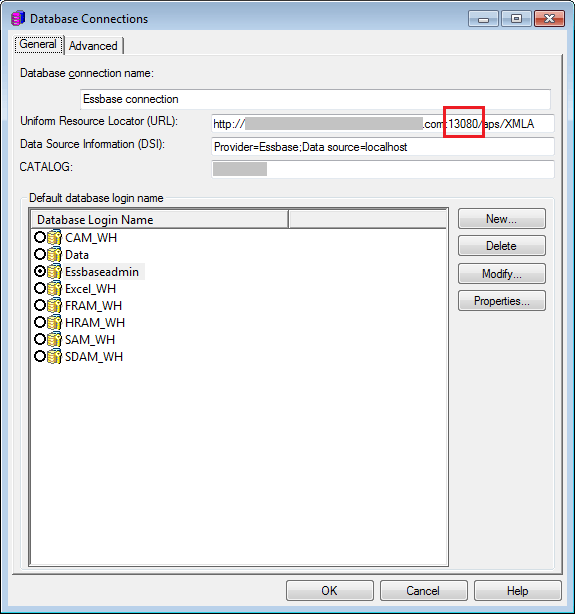
Uniform Resource Locator (URL): http://<Server_Name>:<Port>/XMLA
Data Source Information (DSI): Provider:Essbase;Data source=<Server_Name>
CATALOG: <Catalog_Name>
