EducationSoftwareStrategy.com
StrategyCommunity

Knowledge Base

Product

Community

Knowledge Base

TopicsBrowse ArticlesDeveloper Zone

Product

Download SoftwareProduct DocumentationSecurity Hub

Education

Tutorial VideosSolution GalleryEducation courses

Community

GuidelinesGrandmastersEvents
x_social-icon_white.svglinkedin_social-icon_white.svg
Strategy logoCommunity

© Strategy Inc. All Rights Reserved.

LegalTerms of UsePrivacy Policy
  1. Home
  2. Topics

KB41561: How to setup dynamic address list for Distribution Services subscriptions in MicroStrategy 9.3.x and newer


Community Admin

• Strategy


The following procedure describes how to create a dynamic subscription for Distribution Services in MicroStrategy 9.3.x and newer:

The following procedure describes how to create a dynamic subscription for Distribution Services in Strategy 9.3.x and newer:
 
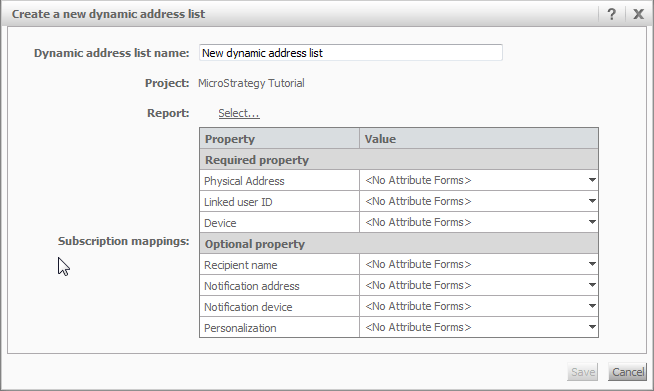
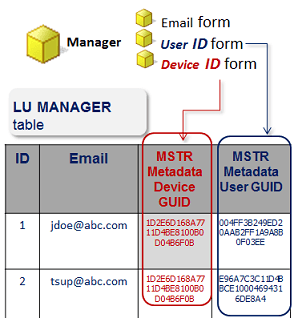
 - It is required to have attributes for the recipients that contain at least the three following attribute forms. 
 - Email: This is the physical address of the user that the email is going to be sent to.
 - User ID: This is the Strategy User GUID that is linked to this recipient. This works the same way as contacts.
 - Device ID: This is the GUID of the device object (file, print, email device etc.)
 
NOTE: User ID Is only needed for security filters, If there are no security filters it is possible to use only one GUID of a User that has the "Use Distribution Services" privilege.
 

ka04W000000OhfmQAC_0EM4400000029h9.png
  • Create and save a report that will work as the dynamic address list in Strategy 9.3. This report will be executed by the Intelligence Server to get the recipients for a Distribution Services subscription.
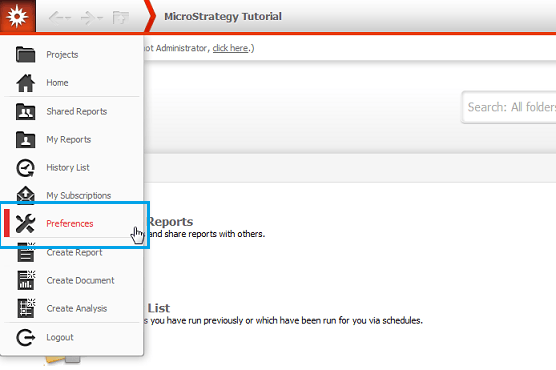
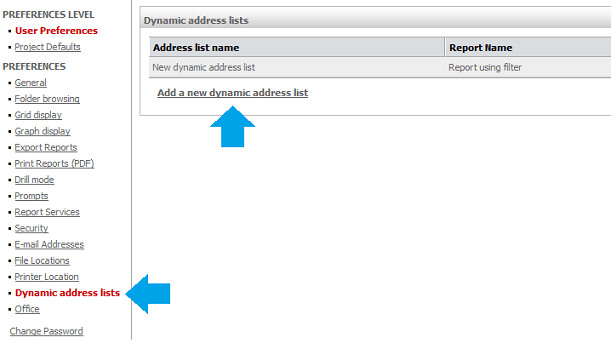
  • In Strategy Web go to the "Preferences" link, there is a new section in the left menu named Dynamic address lists(in 10.x and newer, this link is on the right hand side).
ka04W000000OhfmQAC_0EM4400000029hG.png
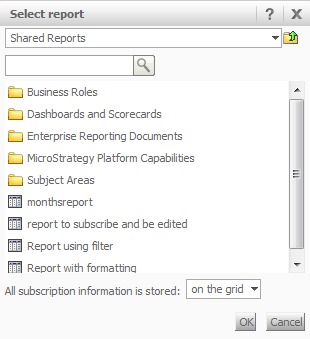
  • In there click to add a new dynamic address list and choose the report created previously.
ka04W000000OhfmQAC_0EM4400000029hA.png


  • Map the attributes in the report to the required fields for the dynamic address list. 


ka04W000000OhfmQAC_0EM4400000029hE.png


ka04W000000OhfmQAC_0EM4400000029h8.png


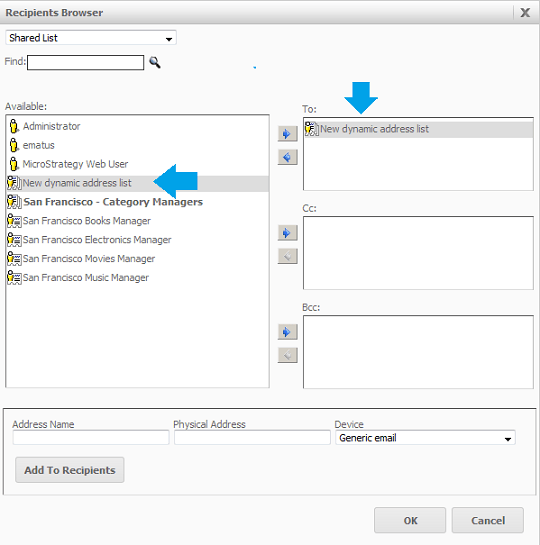
  • Once the dynamic address list is created and saved it can be selected from selected from the standard Recipient Browser when creating an Distribution Services subscription.
ka04W000000OhfmQAC_0EM4400000029hC.png


Comment

0 comments

Details

Knowledge Article

Published:

April 26, 2017

Last Updated:

April 26, 2017